Operational software
From a draft quote to a manager-approved discount and a signed deal, in one place.
Short
summary
- Industry
- Manufacturing sales
- Model
- Internal sales operations tool
- Platforms
- Responsive web app
- Roles
- Account managers, managers, sales ops, admins
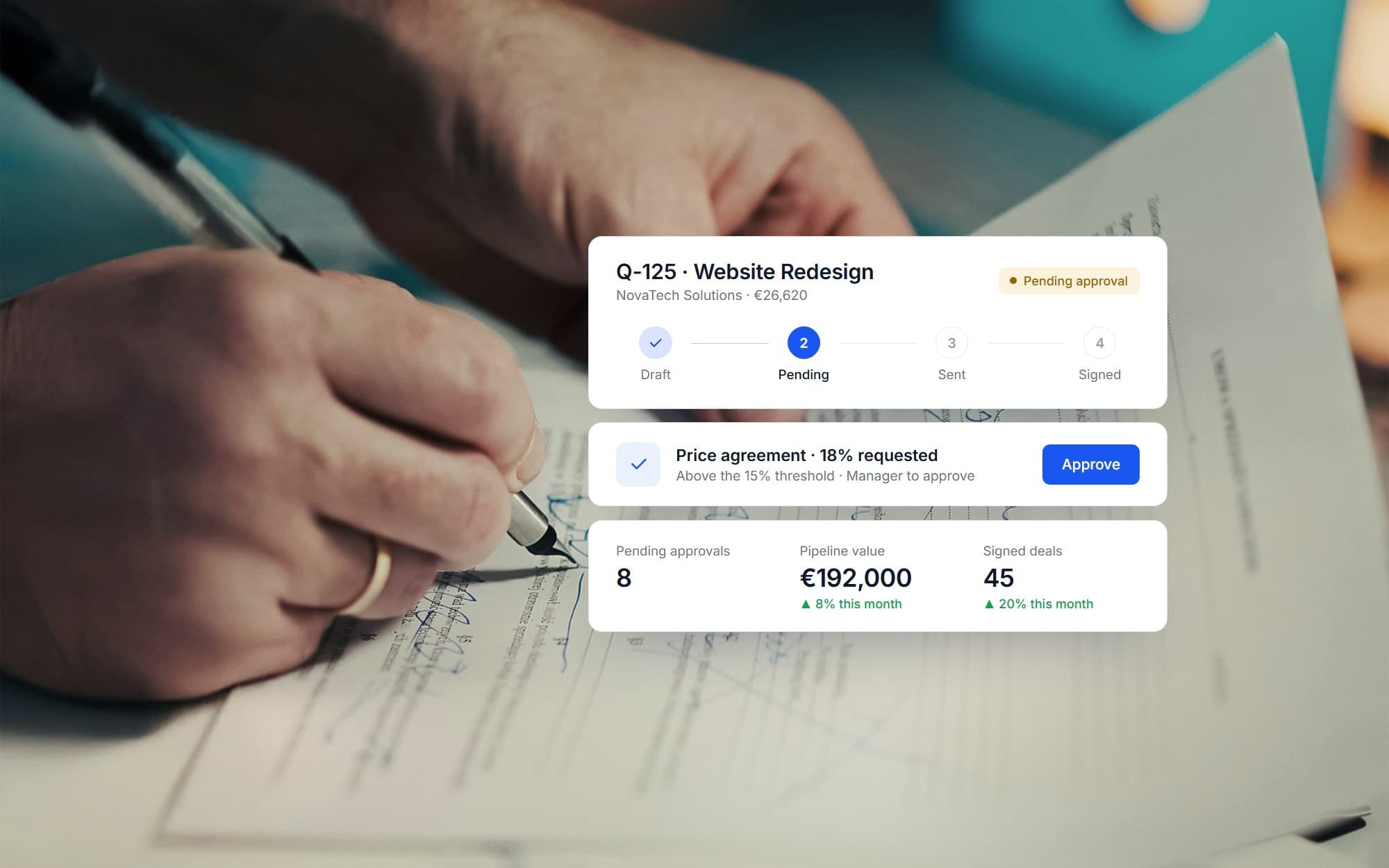
A quotation usually lives in several places at once: a spreadsheet for the numbers, an email thread for the discount, a chat message for the approval. This platform keeps one record per quote, so its status, its discount, its approver and its follow-up tasks are always in the same view.
The challenge
A fragmented quotation process hides where a deal stands and who has to act next, especially once discounts need approval and customers, tasks and imports sit in separate tools.
The hard part is deciding who may give which discount, and making sure nothing waits on a person who never saw the request.
The solution
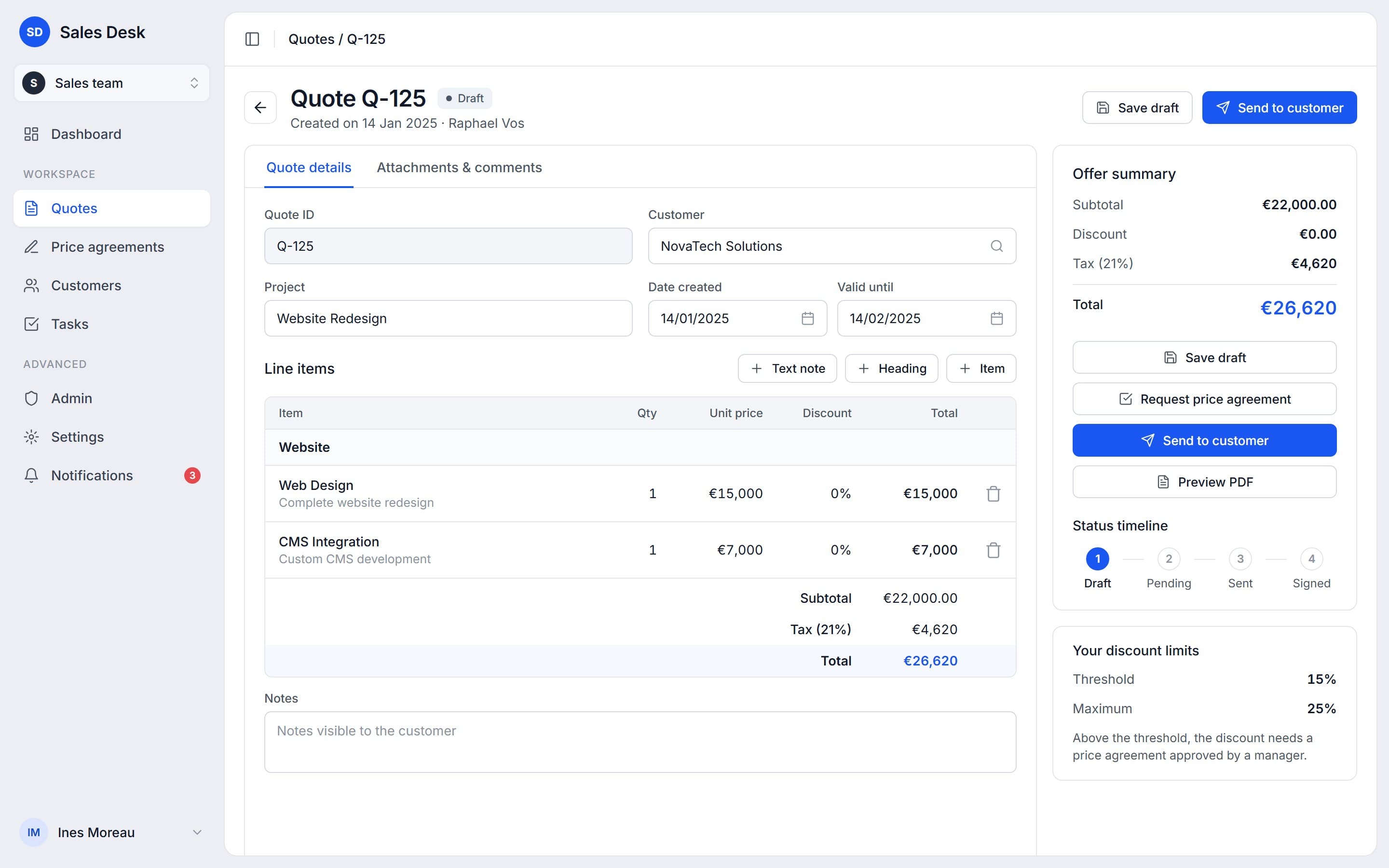
Every quote moves through four stages: draft, pending, sent and signed. Each role has a discount threshold and a maximum, so a discount above the threshold becomes a price agreement request that goes to a manager. Automated tasks catch what would otherwise go quiet.
01Account managers
Build the quote with line items, see the total as it changes, then send it to the customer from the same screen.
Quote lifecycle
4 stages
on every quote, from draft to signed
A quote carries its own status timeline. Line items, headings and notes are edited in one place, and the discount, tax and total update in the summary beside them.
02Managers
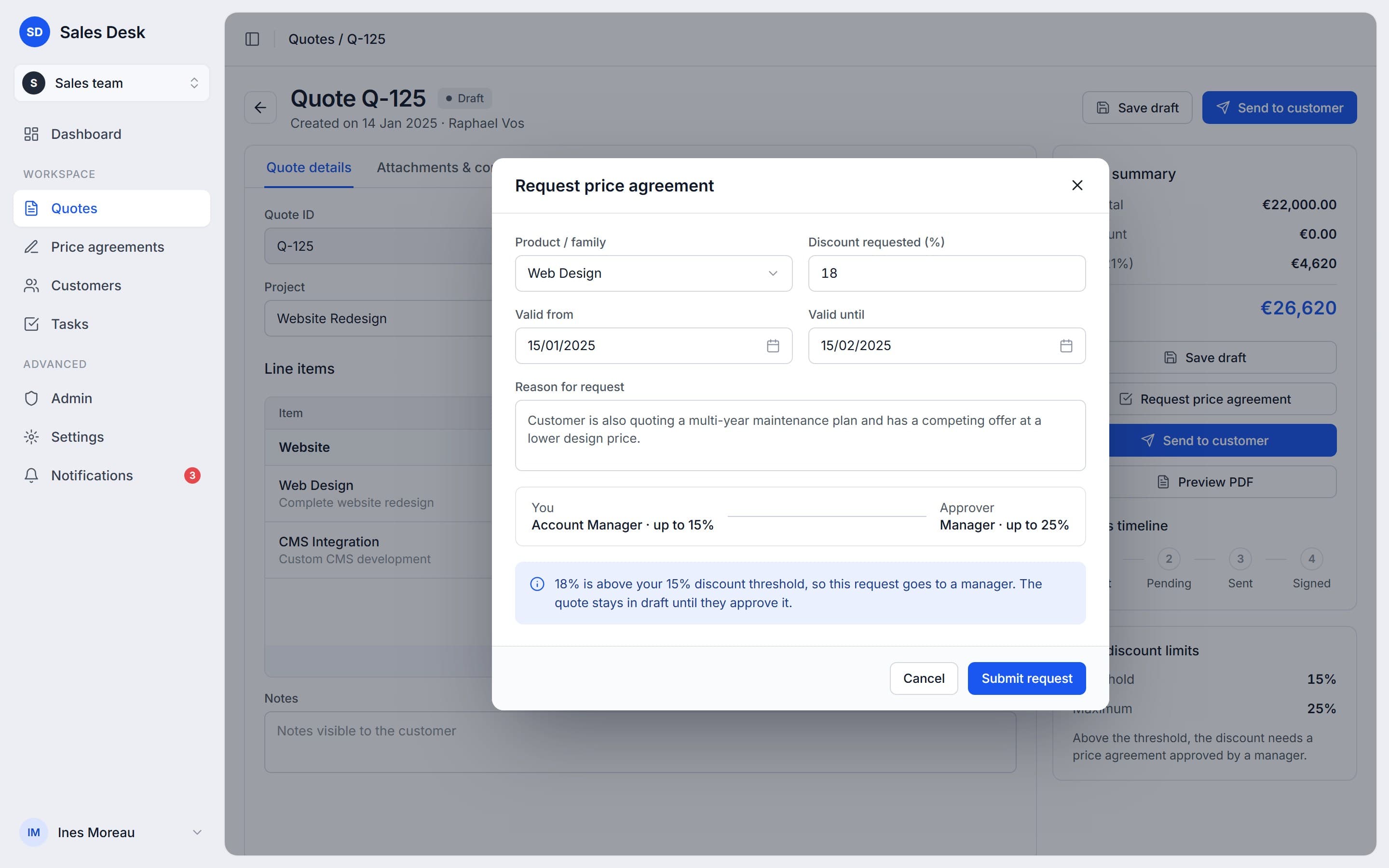
Discounts above an account manager's threshold reach them as a request with the reasoning attached.
Discount limits
15% → 25%
an account manager's threshold and a manager's
The request carries a reason, a validity period and a named approver, and the quote waits in draft until it is answered.
03Sales ops
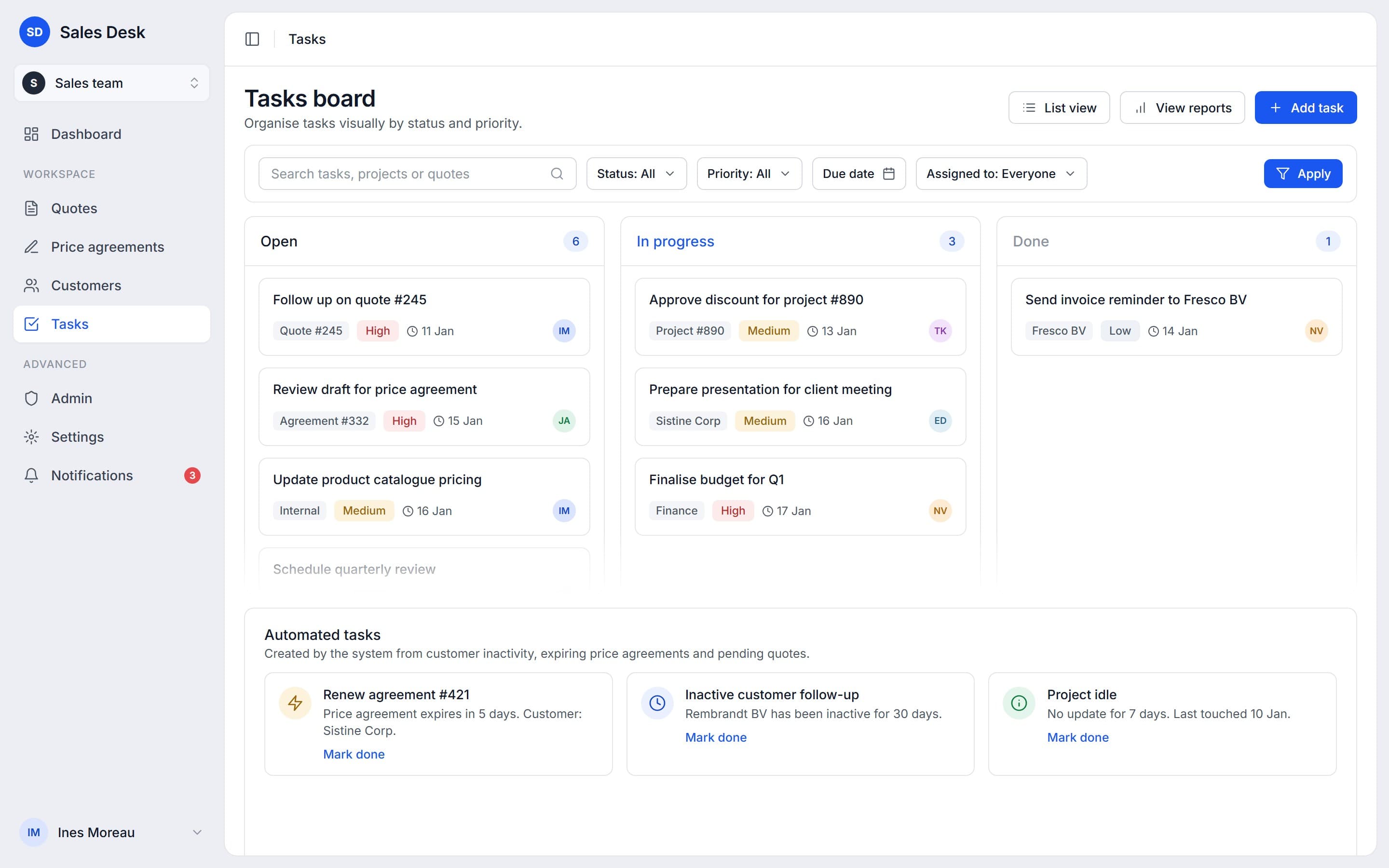
A tasks board for the team's own follow-ups.
Automated tasks
3 triggers
customer inactivity, expiring price agreements, pending quotes
The board holds the team's own tasks in three columns. Beside them, the system raises tasks by itself when an agreement is about to expire or a customer has gone quiet.
04Admins
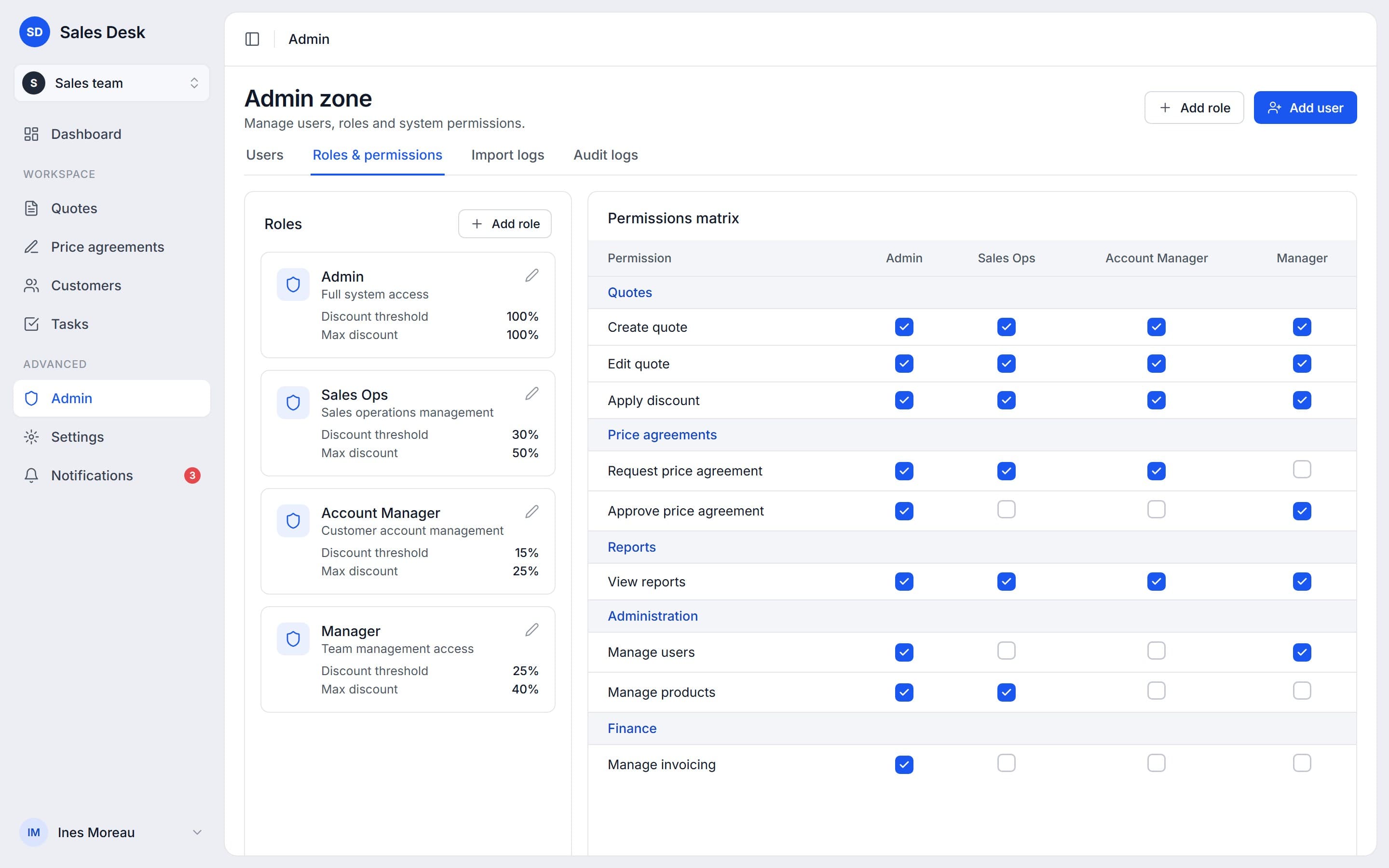
Roles, discount limits and permissions in one matrix, alongside users, import logs and the audit trail.
Permissions
9 × 4
permissions across four roles, each with its own discount limits
Approving a price agreement, managing users and managing invoicing are separate permissions, so access follows the job.
Overview
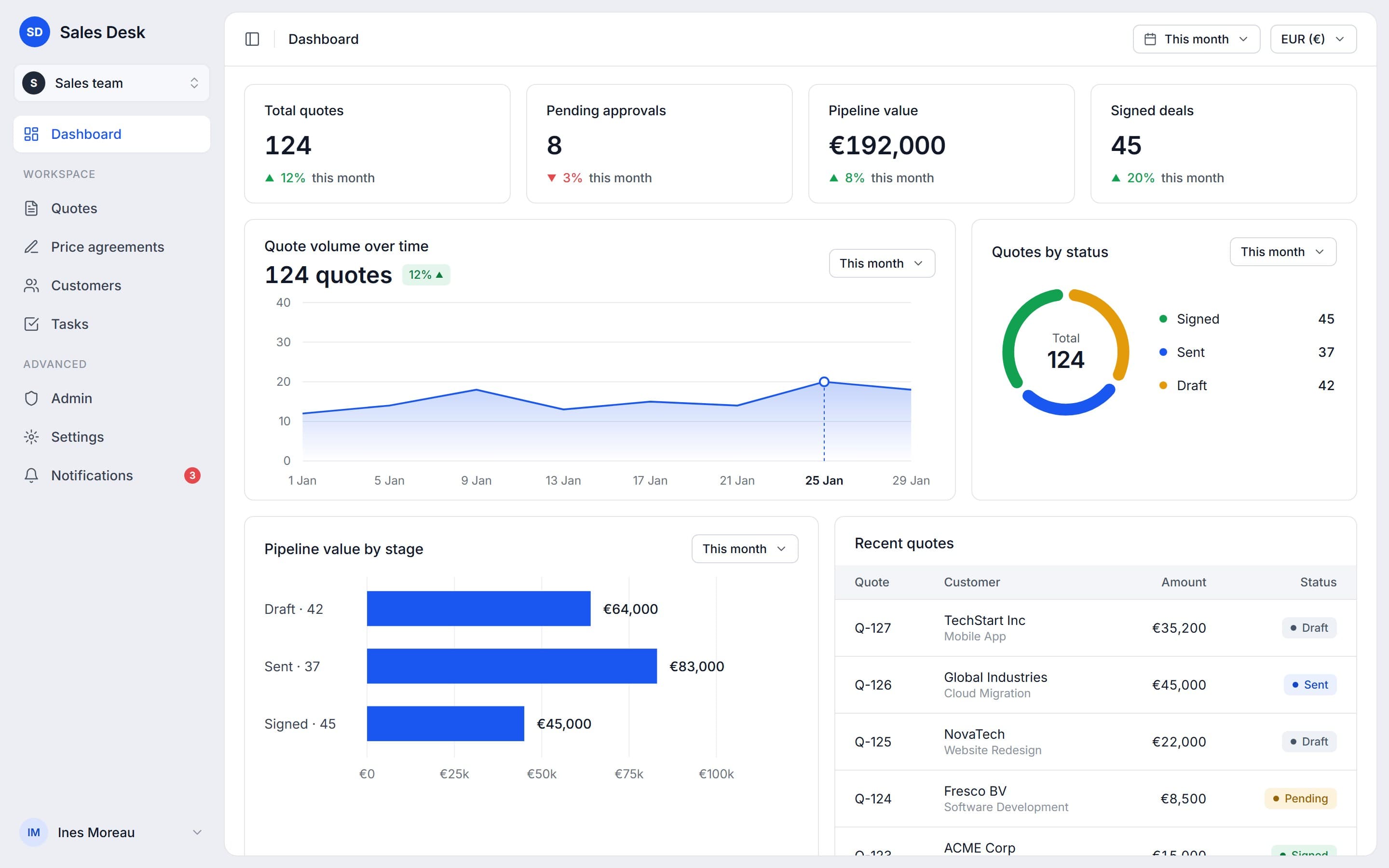
The pipeline at a glance
The dashboard reads the same quote records: totals, pending approvals, pipeline value and signed deals on top, then volume over time, quotes by status, value by stage and the latest quotes. Quick actions, CSV import and export and notifications sit around it.
Outcome
One flow now carries a quote from creation through approval to a signed deal, with customers, tasks, imports and administration in the same interface.
- Offers
- Price agreements
- Customers
- Tasks
- Approvals
- Activity history
- CSV import and export
- Roles and permissions
More case studies
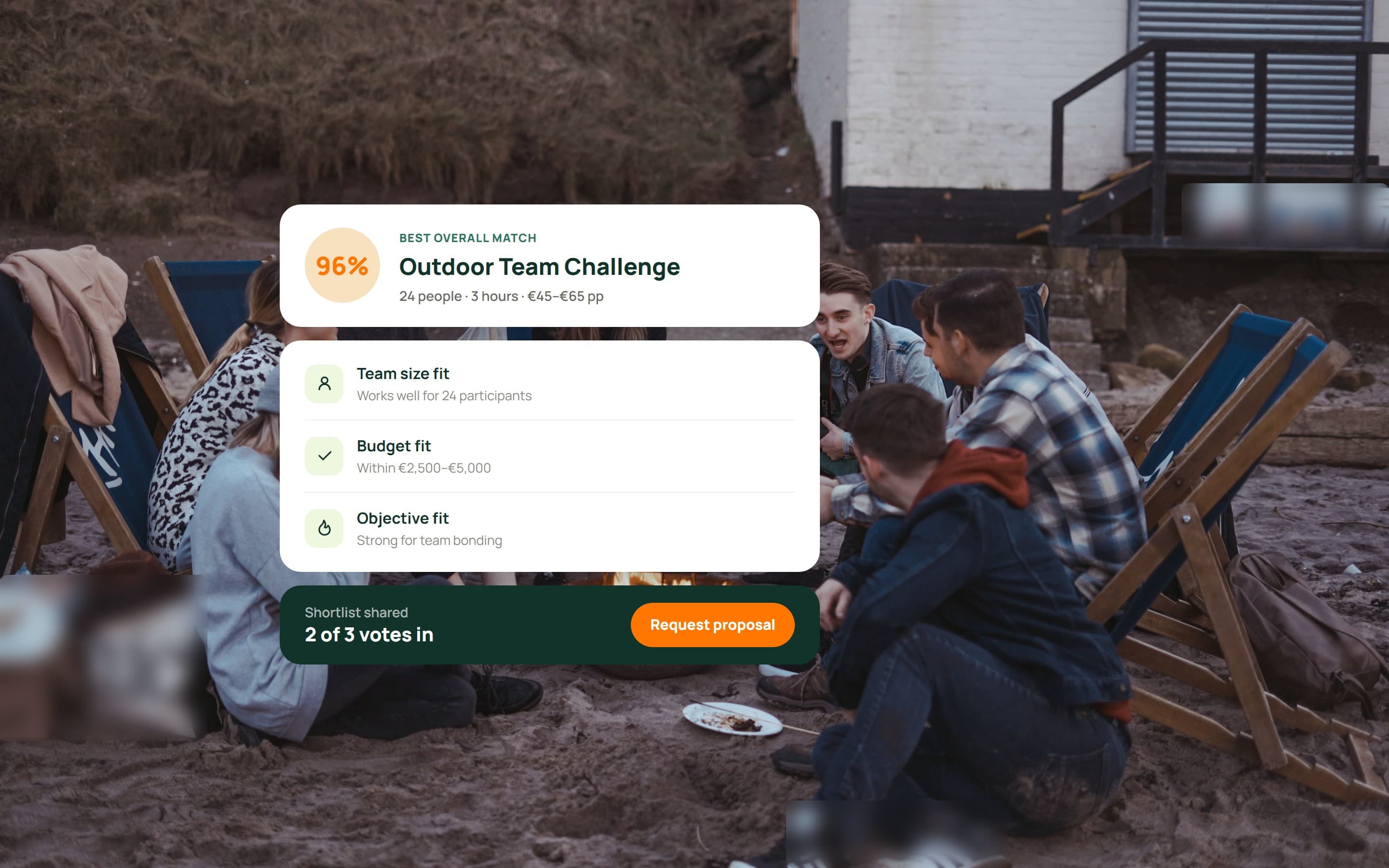 Activity recommendation platformA team activity platform with a guided questionnaire, ranked matches, a shared shortlist to vote on, provider requests and admin review.View case study
 Smart pool control systemA control system for a private pool: one dashboard for water temperature, cover, lighting, garden and poolhouse, plus maintenance tools.View case study
Want a product like this? Let’s talk
Tell us about the workflow that needs to run on software. We’ll come back with how we would approach it.
Discuss a project