Operational software
Following each modular unit from parts readiness through build and test to a signed installation.
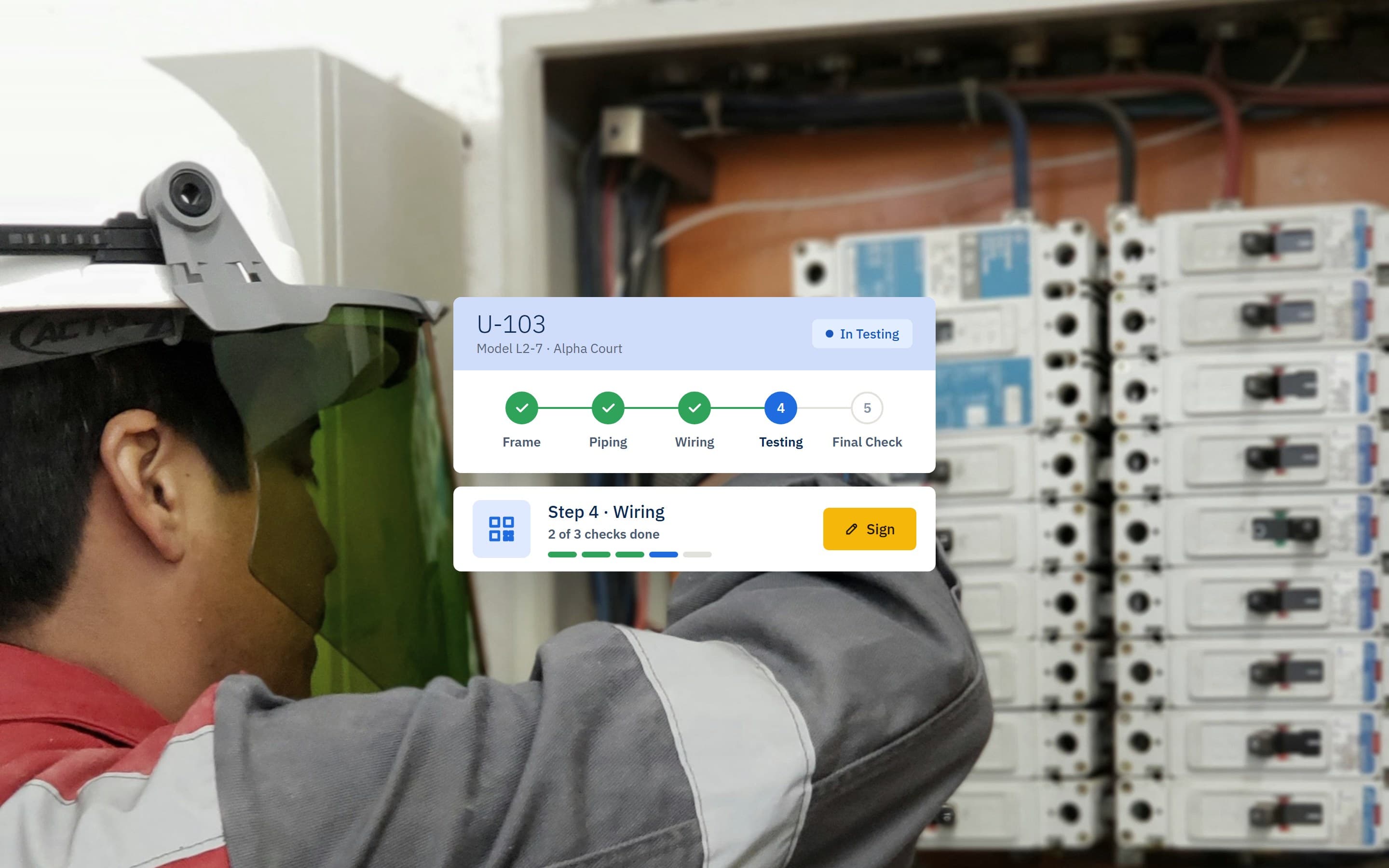
Short
summary
- Industry
- Modular HVAC manufacturing
- Model
- Internal operations platform
- Platforms
- Web app, phone or tablet at the installation site
- Roles
- Workshop leads, project managers, stock controllers, planners, installation technicians
Modular climate units are built in a workshop and then installed on site, so each one passes through two places and several sets of hands. The platform follows a unit from its first frame to its signed final check.
The challenge
Each unit is assembled from many components held across the warehouse and in sub-assemblies, then installed on site. Without one record, nobody could say at a glance which units lacked parts, which stage each had reached, or what was still to be checked on site.
A unit cannot be built until every part is there, and it cannot be handed over until every stage is signed.
The solution
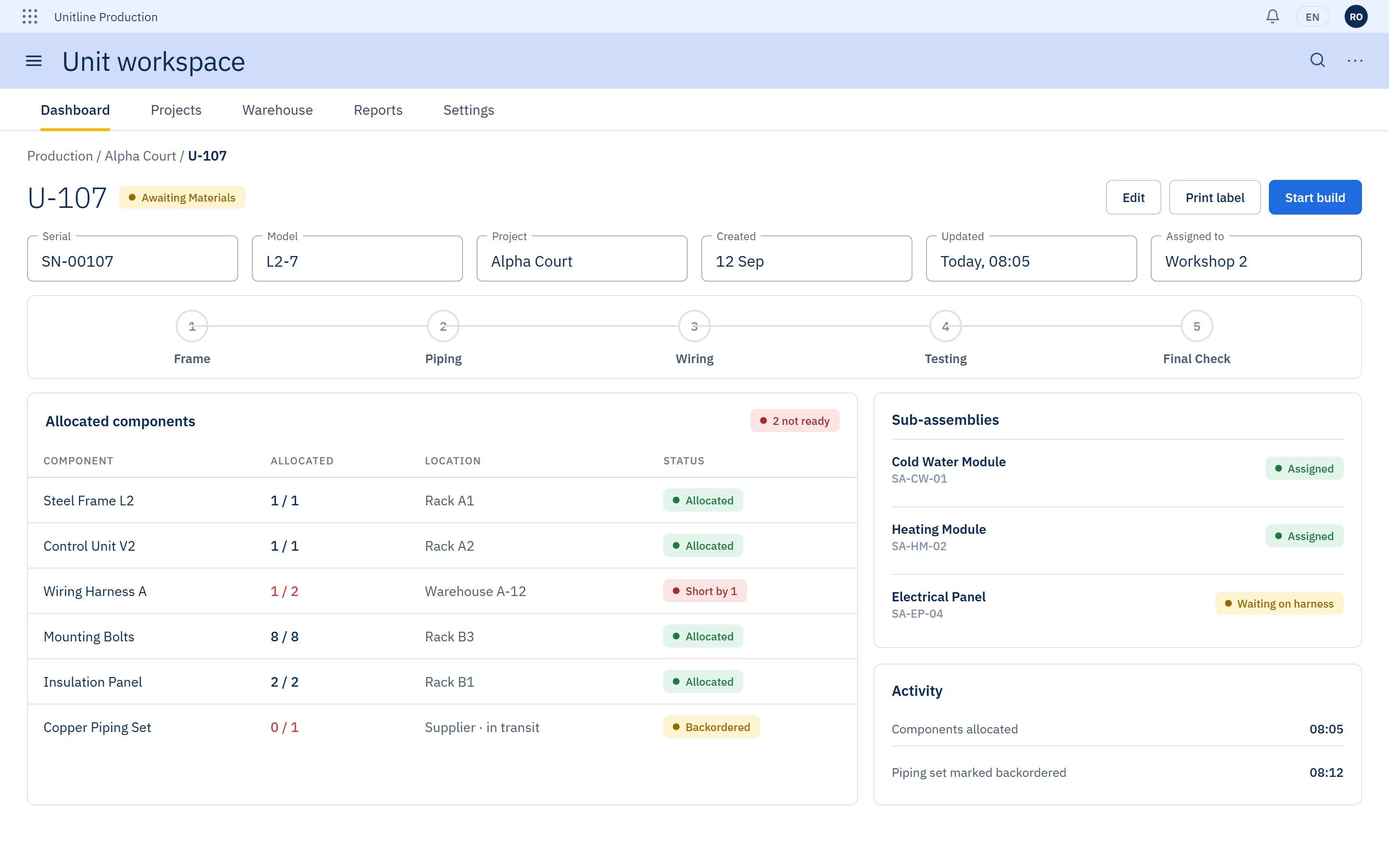
Every unit is one record: its components, its five stages from frame to final check, and a timestamped log. Stock is tied to projects, so a unit shows what it is waiting for before the workshop starts. The same record then goes to site behind a QR code, where the technician works through the steps and signs each one off.
01Workshop leads
A grid of unit cards coloured by state and, per unit, its five stages, the components allocated to it and a timestamped log.
States
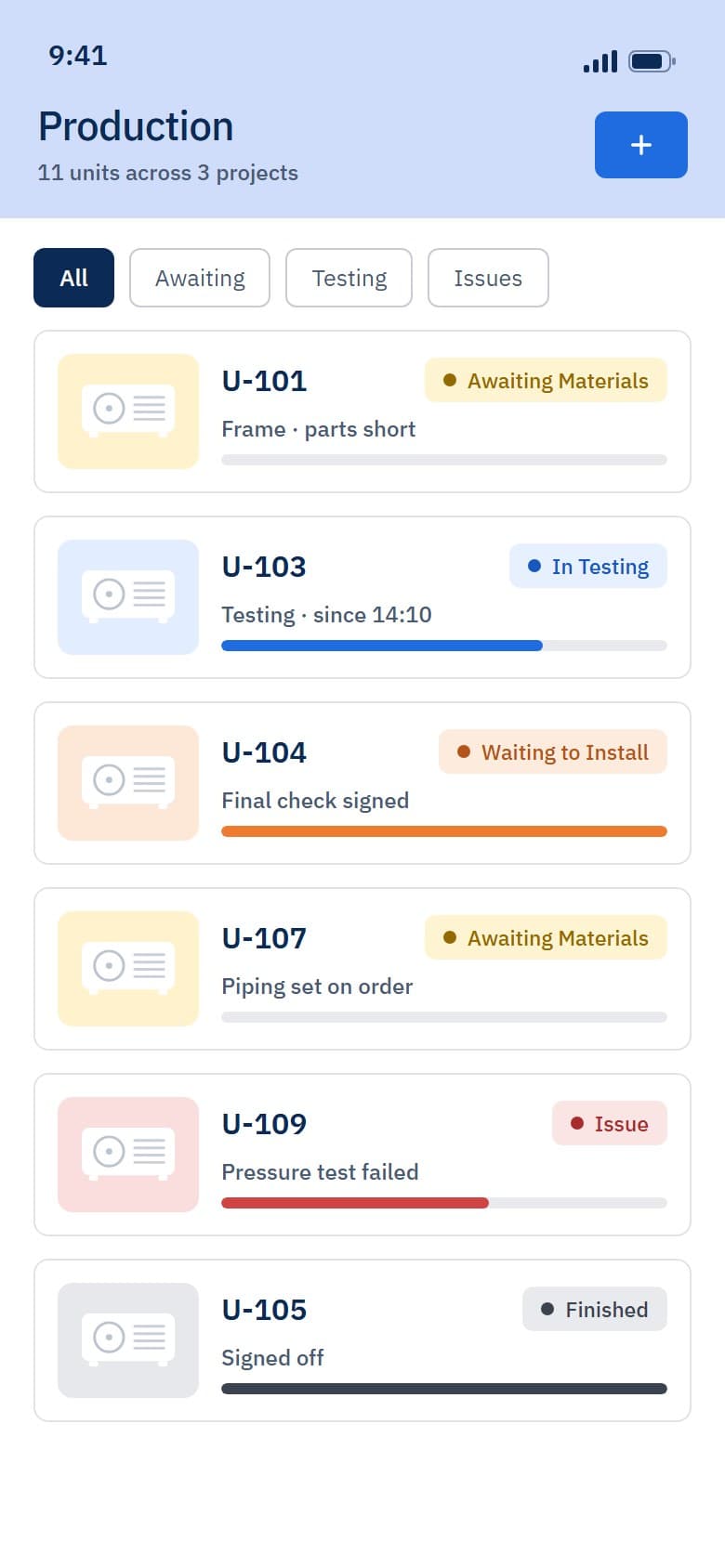
6
unit states on the dashboard, from awaiting materials to finished
Each unit card carries its state and the step it is on, so a lead sees what is blocked, what is ready to build and what is waiting to install without asking around.
02Project managers
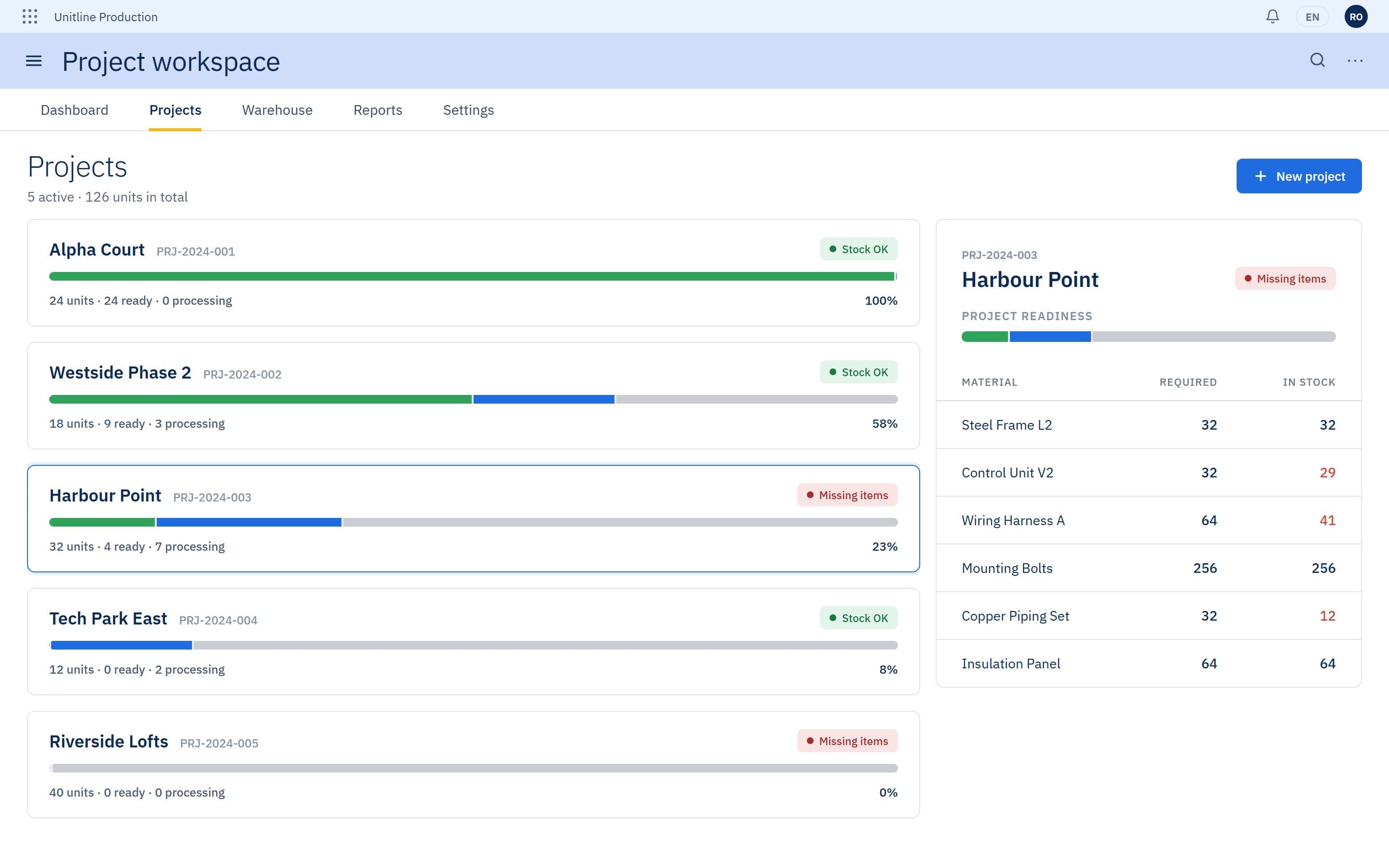
Every project with its units split into ready, processing and not started, and a materials list of what is required against what is in stock.
Readiness
2 of 5
projects flagged for missing parts, before any unit is scheduled
Shortages show up at project level, while there is still time to order.
03Stock controllers
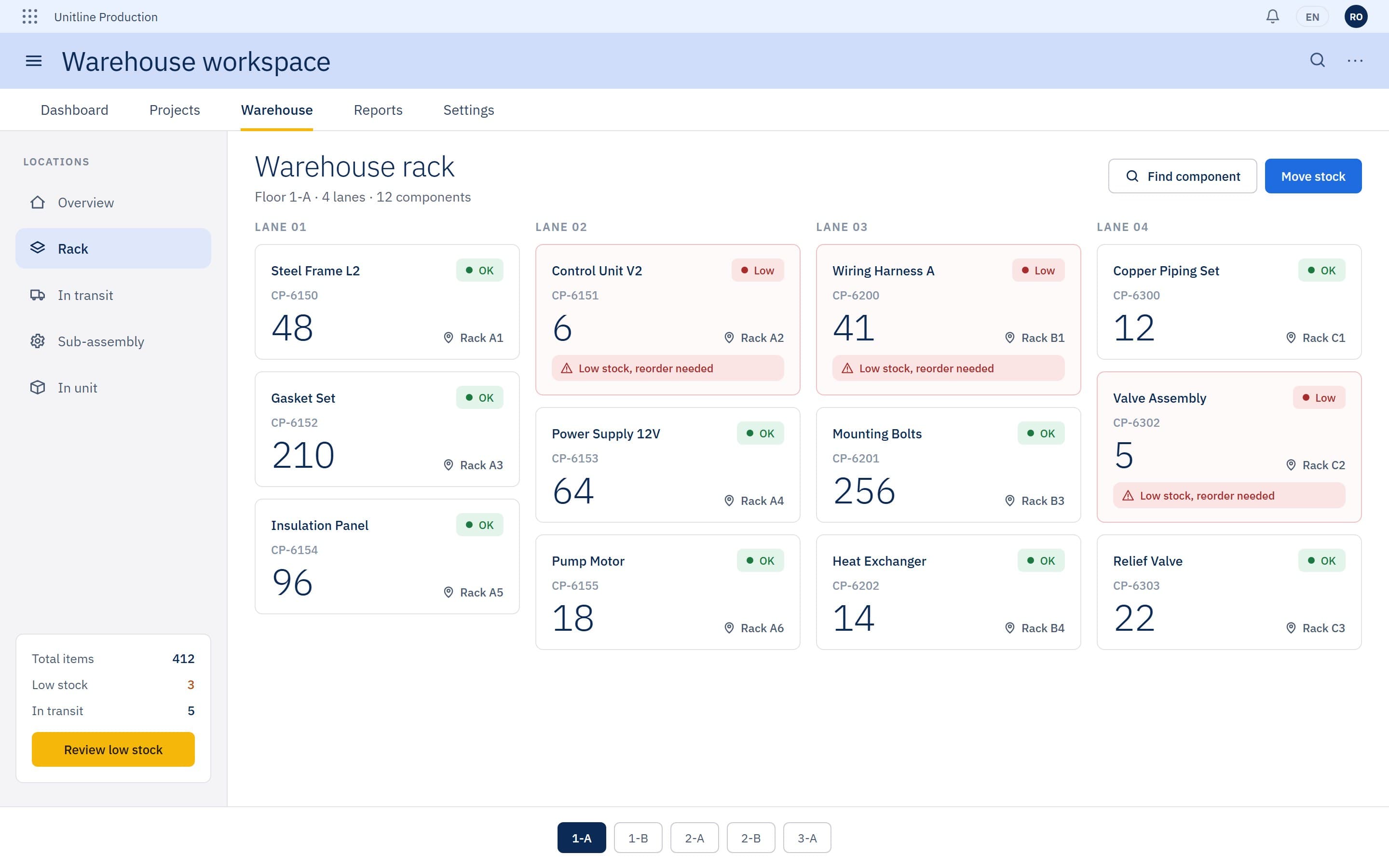
Rack lanes with quantities and low-stock flags, and a move-stock action between locations.
Stock
3
components under their threshold on this floor, each with a reorder banner
A low count shows where the part physically sits, and every move between rack, transit, sub-assembly and unit is recorded.
04Planners
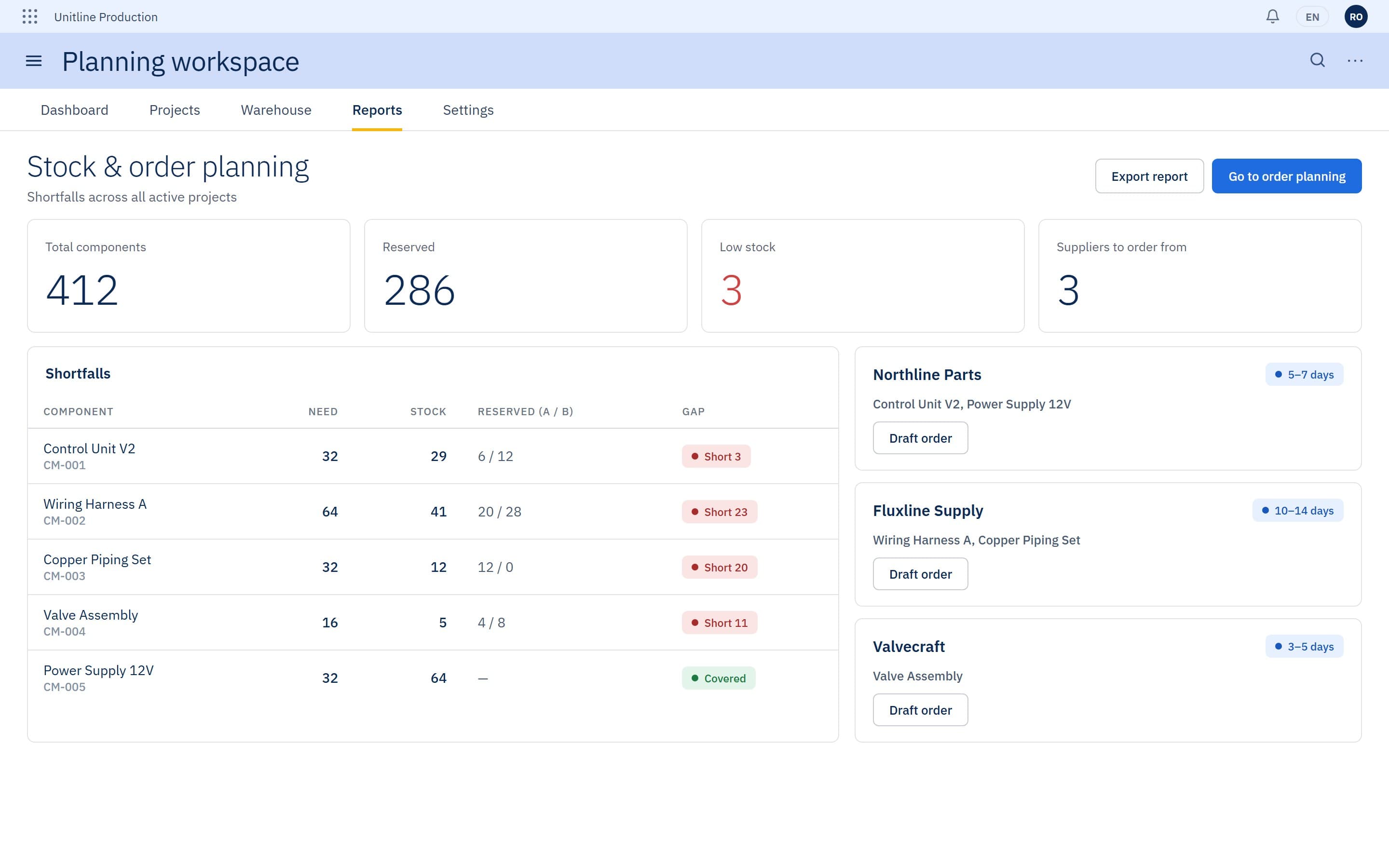
Shortfalls per component, grouped by supplier and ready to order.
Ordering
3 suppliers
shortfalls grouped by supplier, each with its lead time
Stock reserved across all projects is set against what is on the shelf, so a shortage is visible before anyone orders.
05Installation technicians
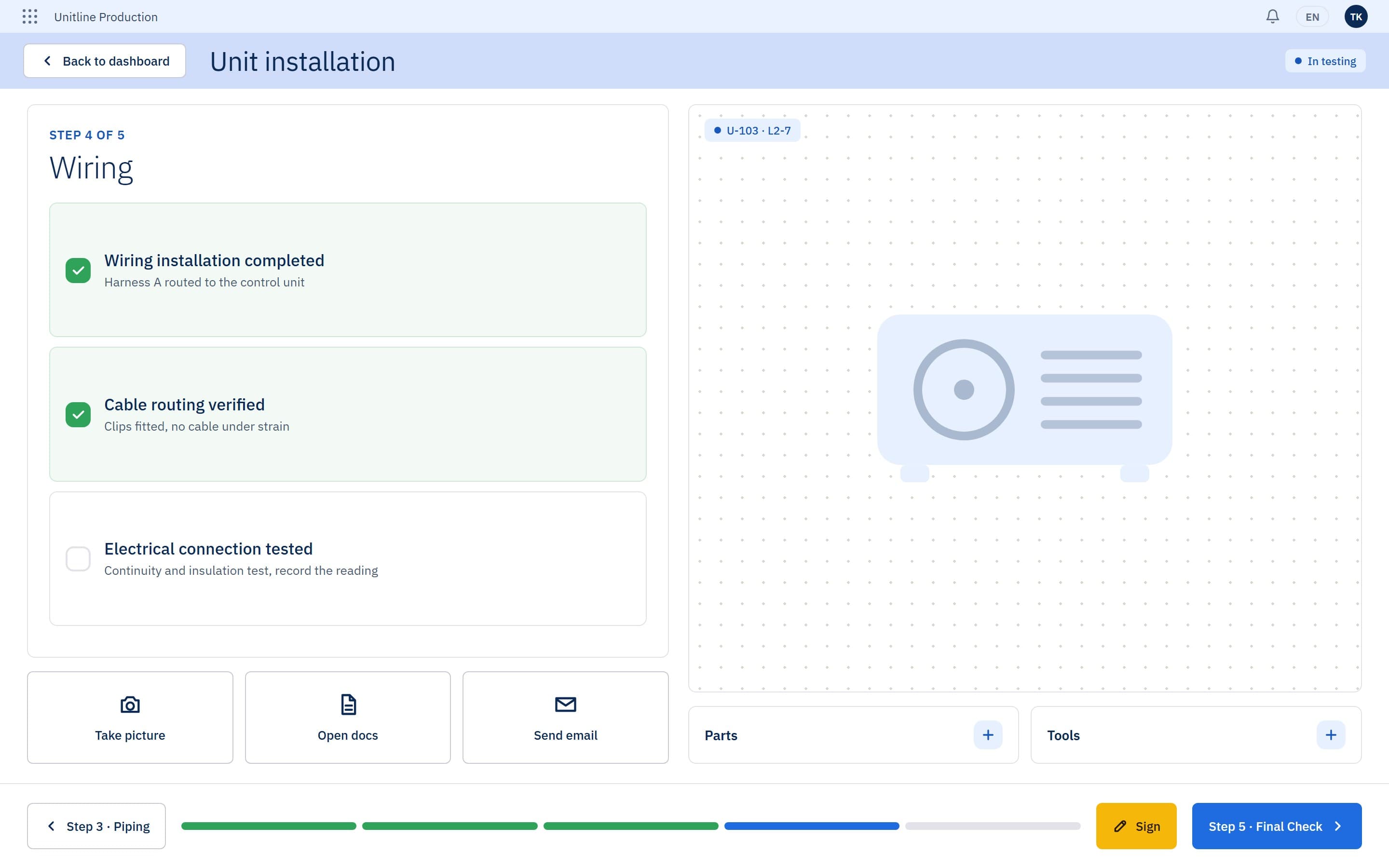
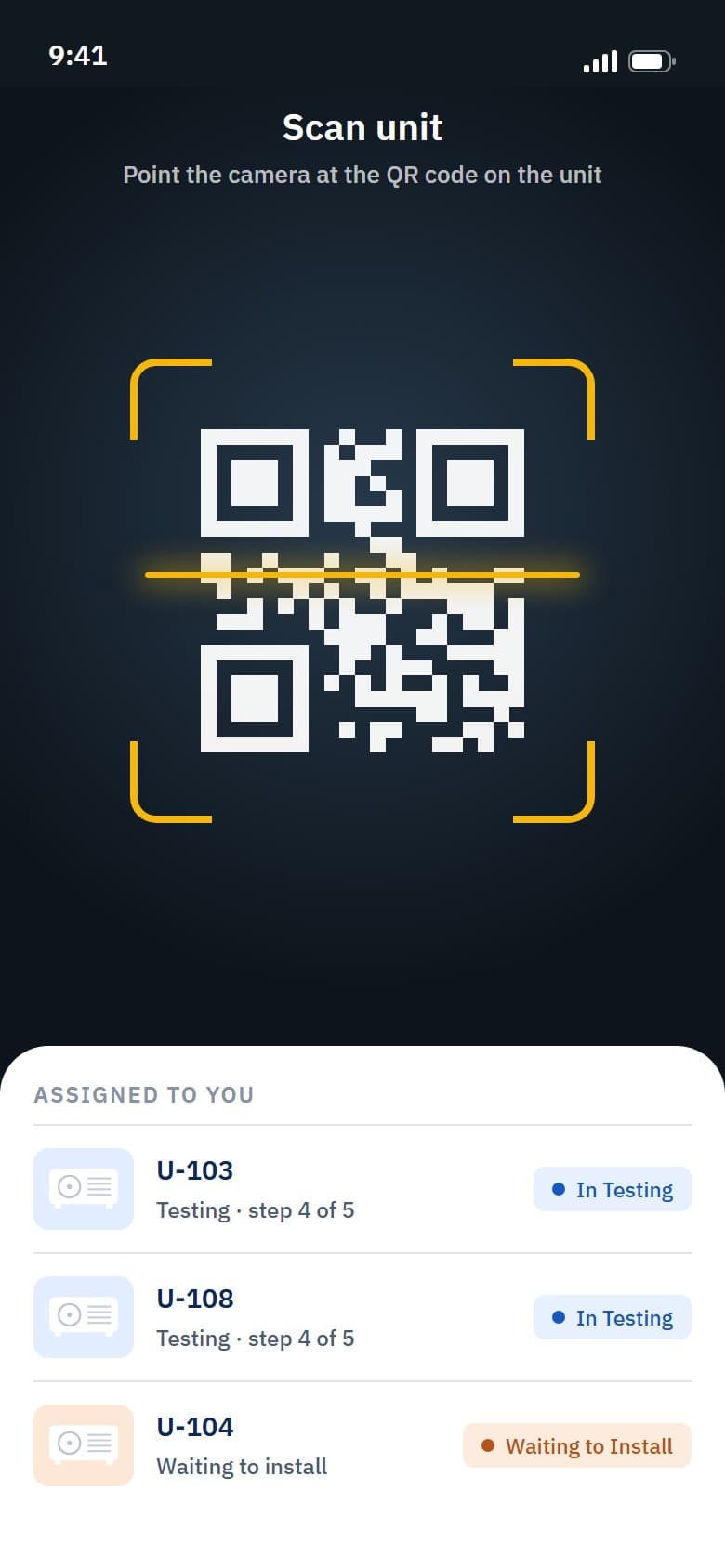
Scan the unit, follow the step checklist, attach a picture and sign each stage off, on a phone or a tablet.
Signing
5 steps
per unit, each with its own checks, worked from the QR code on the unit
Each step is signed before the next, so the record shows how far every unit has got on site.
Outcome
Parts, progress and site work now sit on one record per unit, from the workshop to the signed installation.
- Unit dashboard by state
- Five-stage progress tracking
- Component allocation and stock
- Project readiness
- Order planning by supplier
- QR-based installation steps
More case studies
 B2B commerce platformA web and mobile commerce system for a building-supplies retailer: in-store scanning, company accounts, employee limits and assisted purchasing.View case study
 Restaurant operations ERPA modernised restaurant system built on a live floor plan, from table orders and courses through split checkout to manager tools and a kiosk.View case study
Want a product like this? Let’s talk
Tell us about the workflow that needs to run on software. We’ll come back with how we would approach it.
Discuss a project