Modernisation
Turning legacy restaurant software into one POS for the floor, the table and the till.
Short
summary
- Industry
- Hospitality, restaurants
- Model
- Modernisation of an existing restaurant ERP
- Platforms
- POS terminal, handhelds, self-order kiosk
- Roles
- Hosts, servers, cashiers, managers, back office
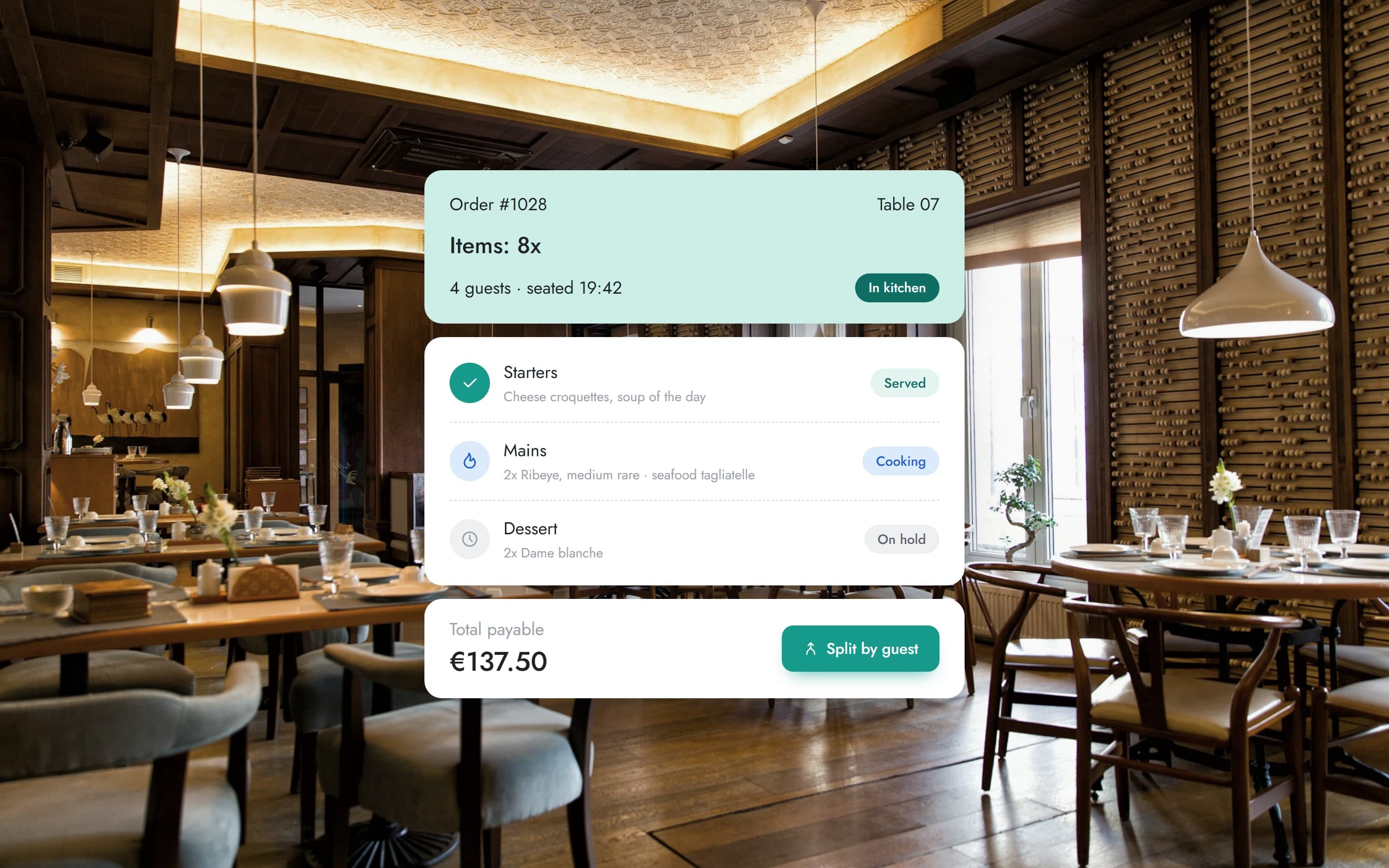
A restaurant runs its whole evening through one system: who is sitting where, what each table ordered, when the kitchen fires the next course and how the bill is settled. The existing software did all of that, but it looked and behaved like a different program on every screen. The redesign keeps what it does and changes how it reads.
The challenge
The system already handled seating, orders, payments and the back office, but its interface had aged: dense grids of coloured buttons, windows stacked over the floor plan, and a different layout on every screen.
Staff use a POS at speed, standing up, with guests waiting. Every screen that has to be remembered rather than read slows service down.
The solution
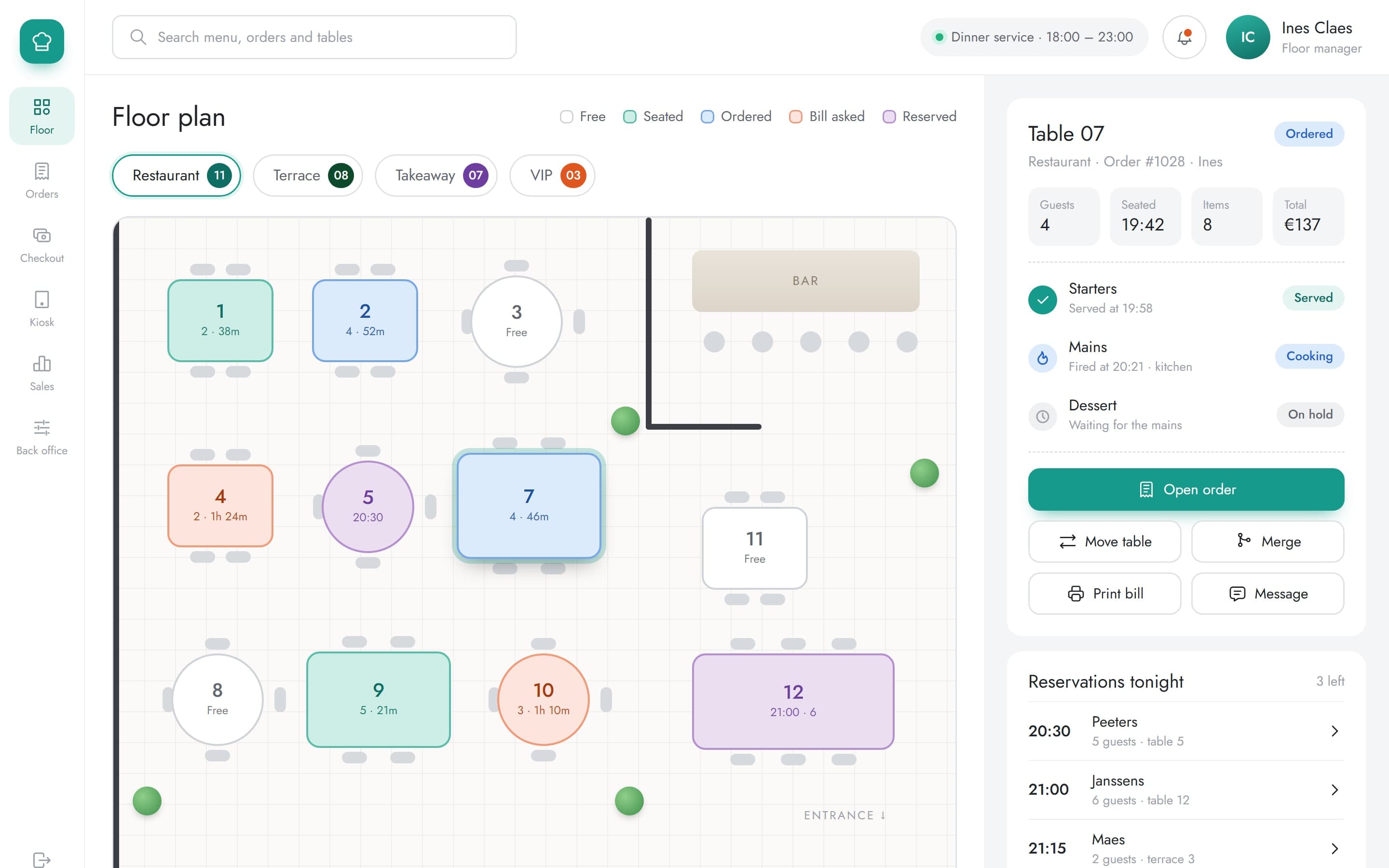
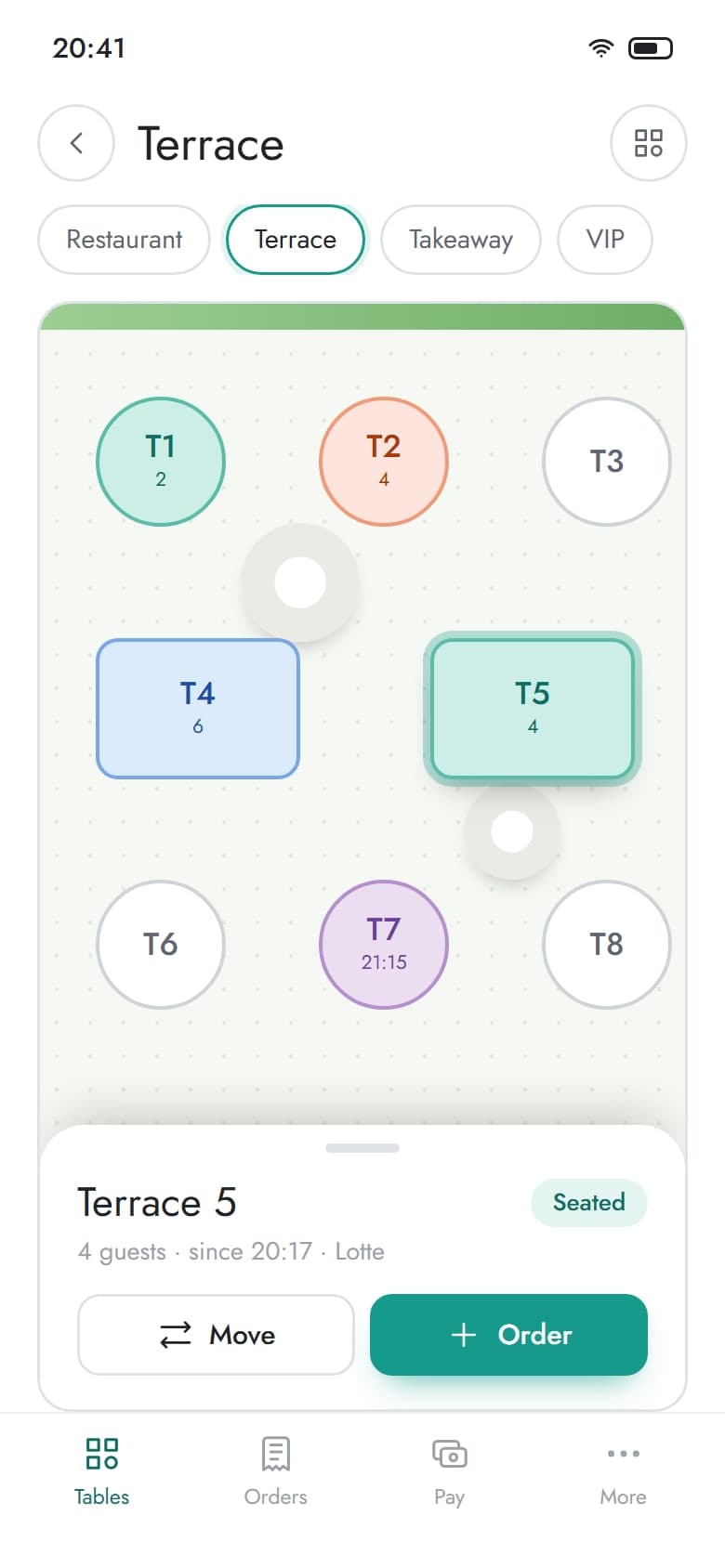
The floor plan became the home screen, with tables coloured by where they are in the evening and grouped into restaurant, terrace, takeaway and VIP. Opening a table leads into one order screen: the menu on the left, the ticket on the right, modifiers and courses chosen in place. Checkout, manager tools and the back office share the same cards, pills and spacing, so a second screen is learned from the first.
01Hosts
A floor plan per section, tables coloured by status, and the selected table's guests, courses and next reservation beside it.
Seating
4 sections
restaurant, terrace, takeaway and VIP on one plan
The plan answers the host's questions at a glance: which tables are free, which are waiting on the bill, and which are held for a reservation later in the evening.
02Servers
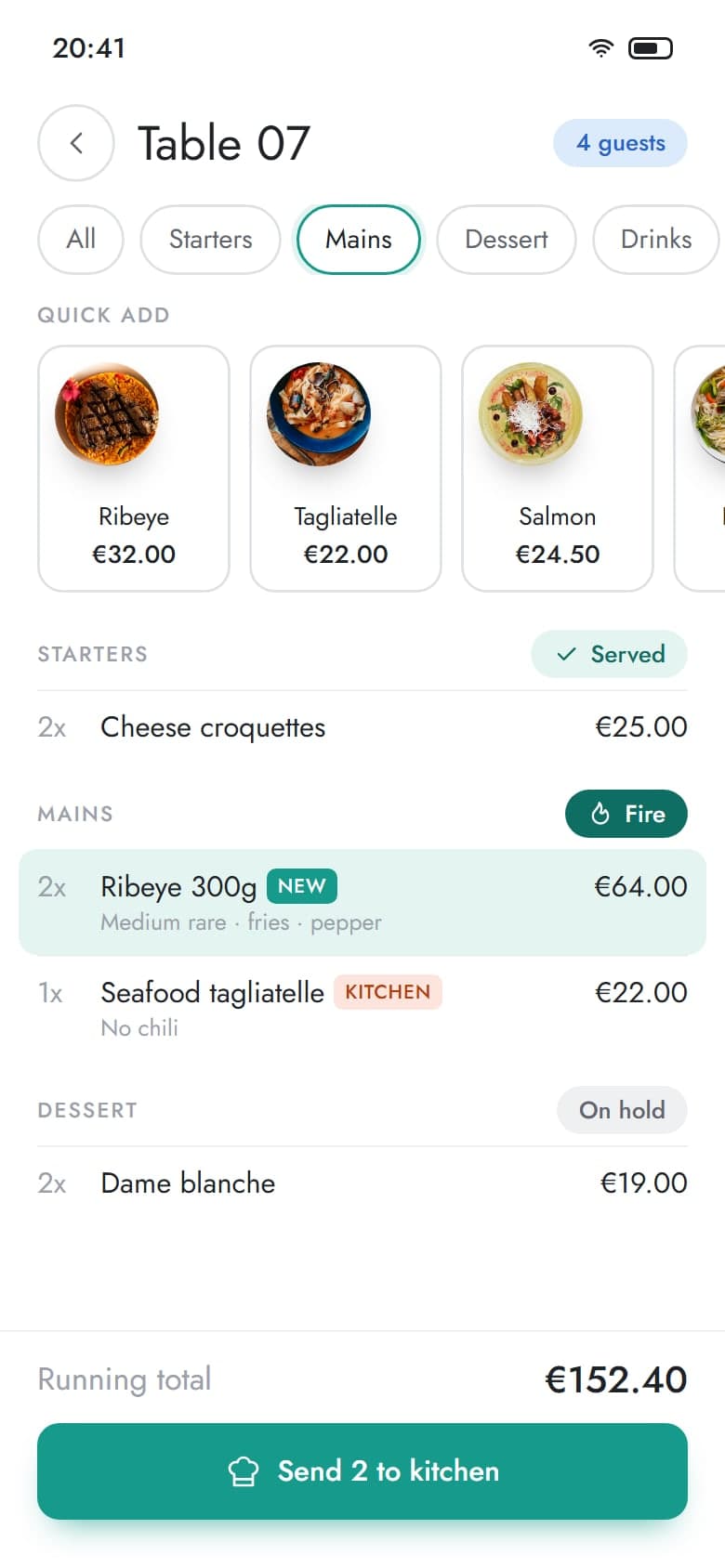
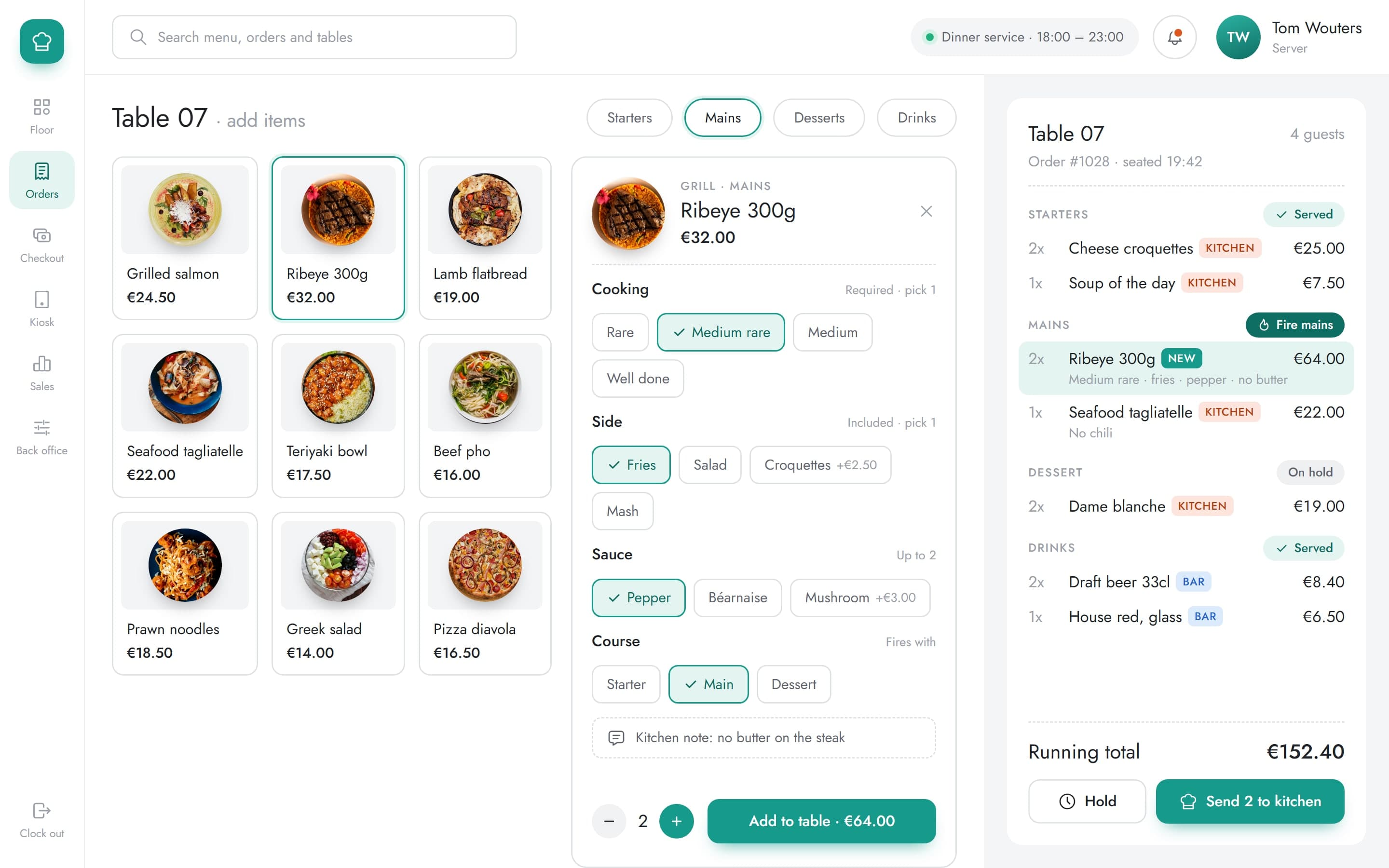
Pick a dish, set its cooking, side, sauce and course in place, and add a note for the kitchen before sending it.
Courses
3 courses
held and fired separately from the same ticket
Starters, mains and dessert sit on one ticket but go to the kitchen when the server fires them, and each line shows whether it prints in the kitchen or at the bar.
03Cashiers
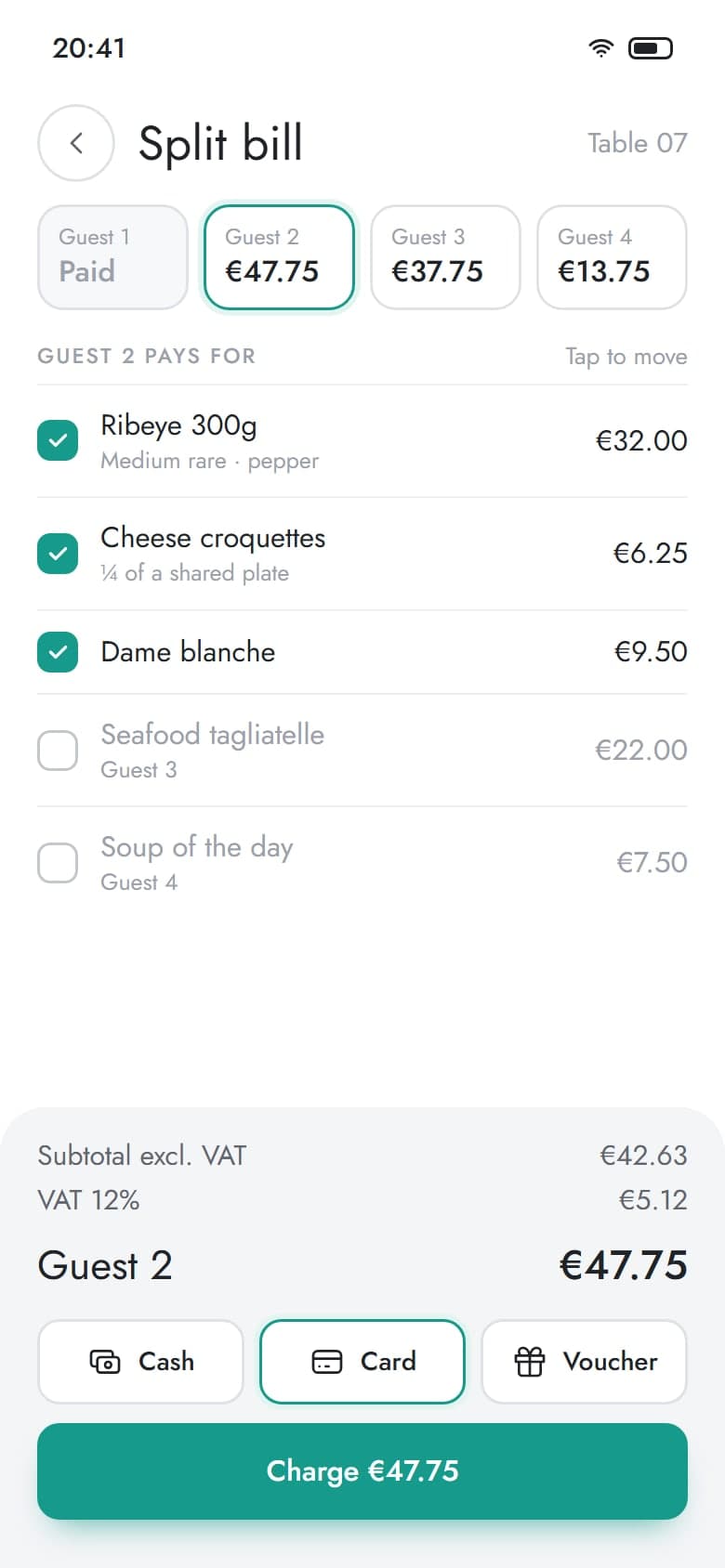
Split the bill by guest, take each share by cash, card or voucher, and print or email the receipt from the same screen.
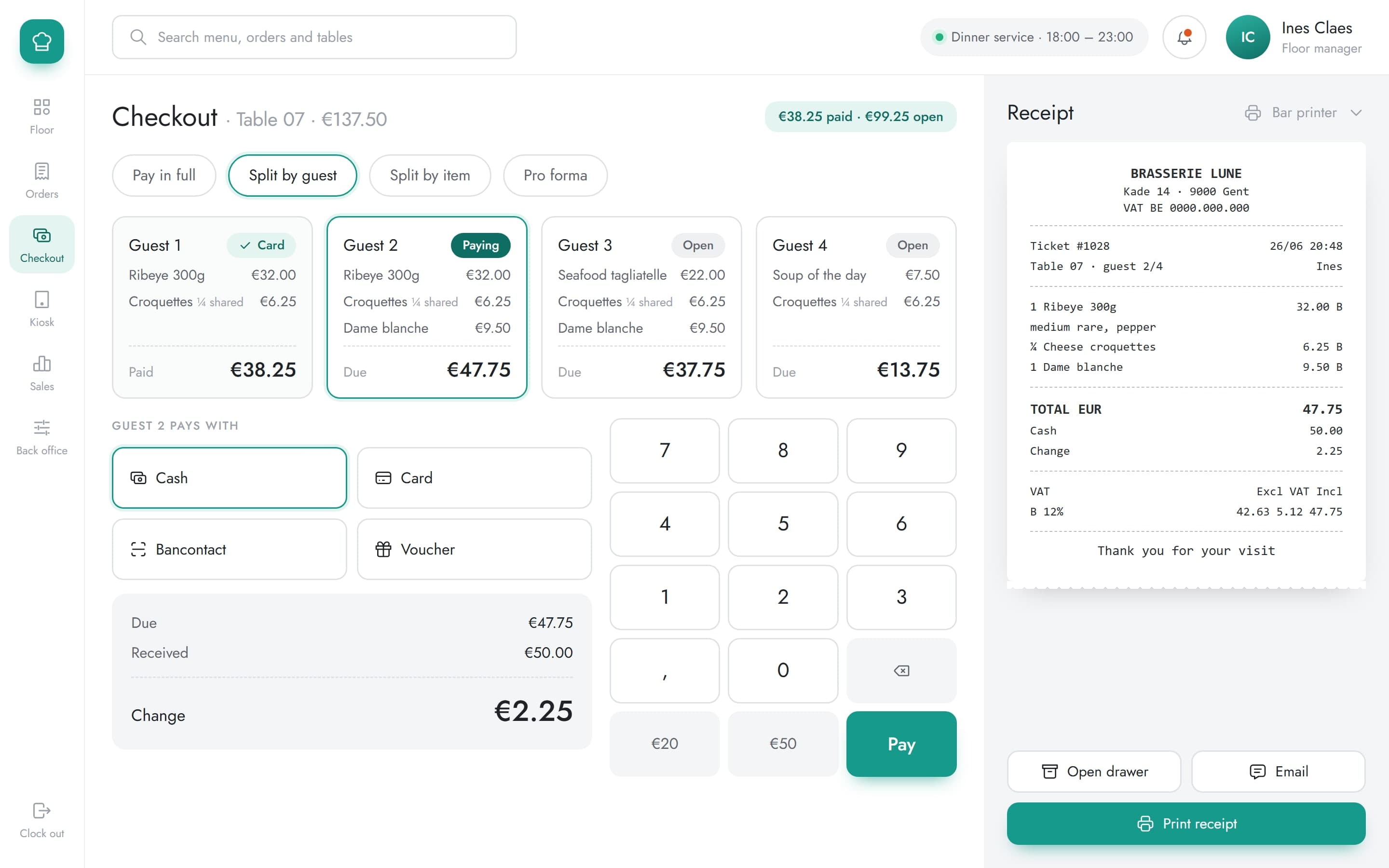
Checkout
7 ways
to settle a table, from cash to per-guest splits and pro forma
A table can be paid in full, split by guest or by item, or printed as a pro forma, and every share keeps its own receipt with the VAT worked out.
04Managers
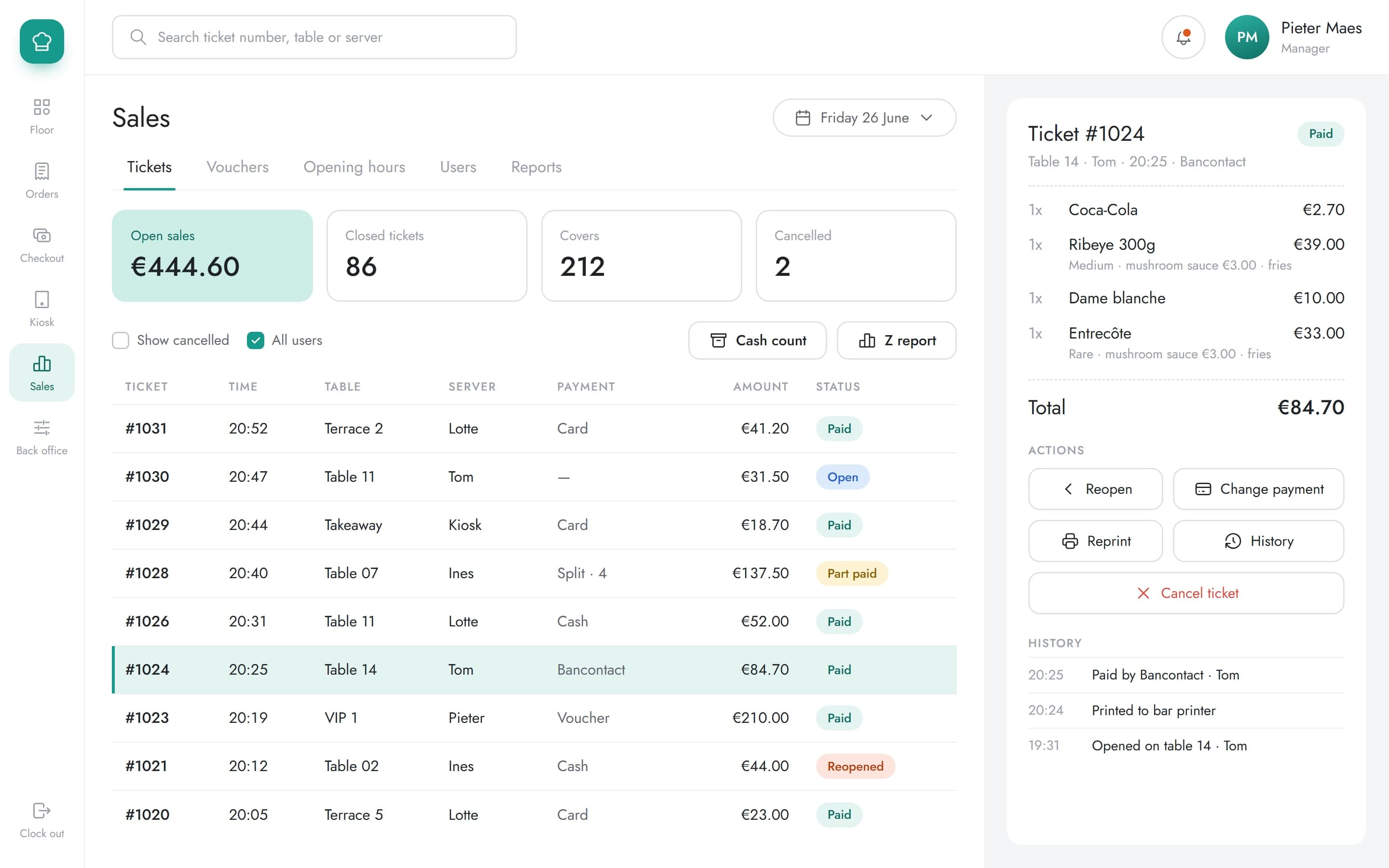
The day's tickets with open sales, payment and status, and the selected ticket's lines and history beside them.
Control
5 actions
on a closed ticket: reopen, change payment, reprint, history, cancel
Corrections happen on the ticket itself, with its history underneath.
05Back office
Drag articles into place on each POS page and edit the article behind a button without leaving the layout.
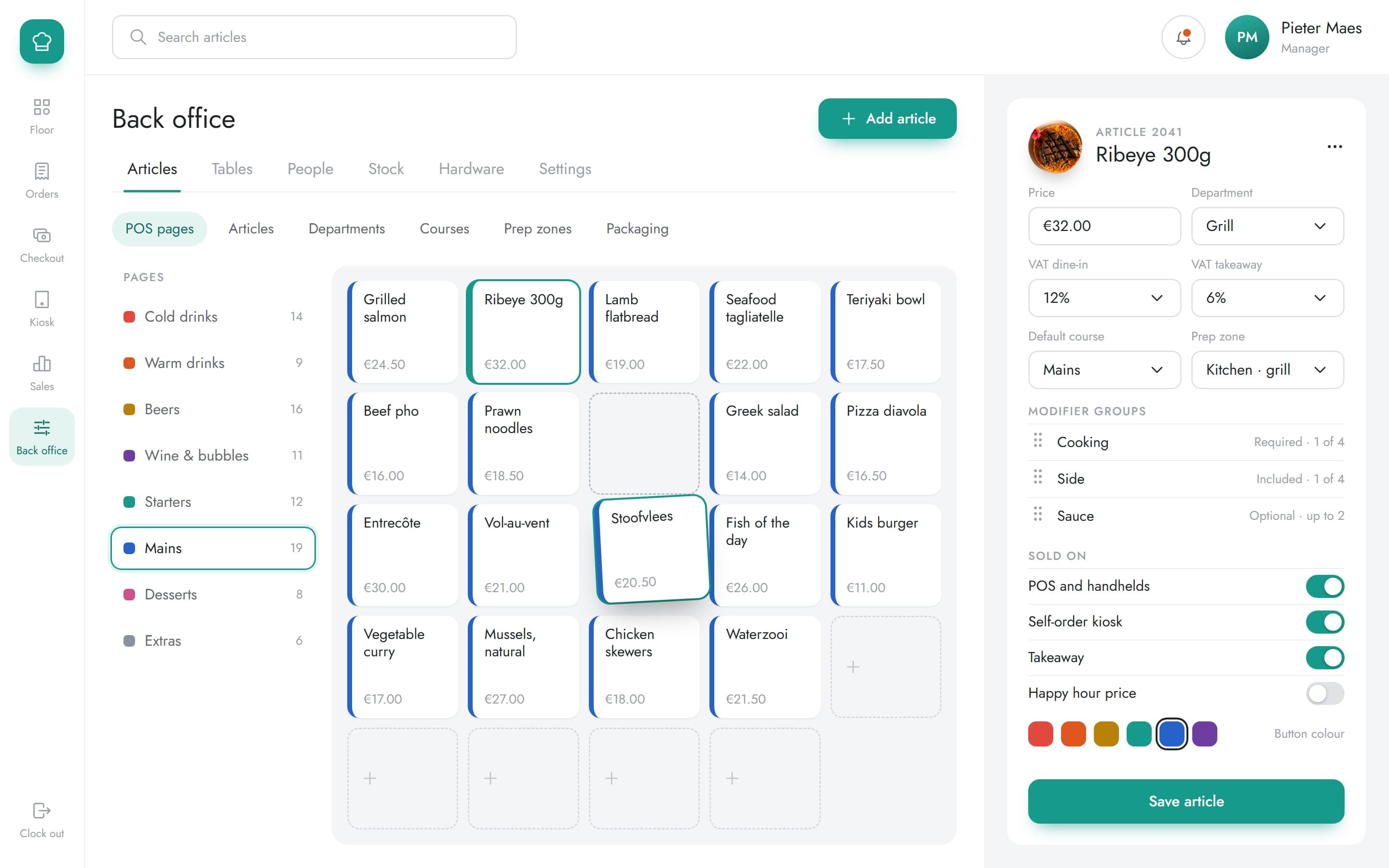
Setup
6 areas
articles, tables, people, stock, hardware and settings
What staff see on the POS is arranged here: the button grid for each page, and behind each button the article's price, VAT, course, prep zone and modifiers.
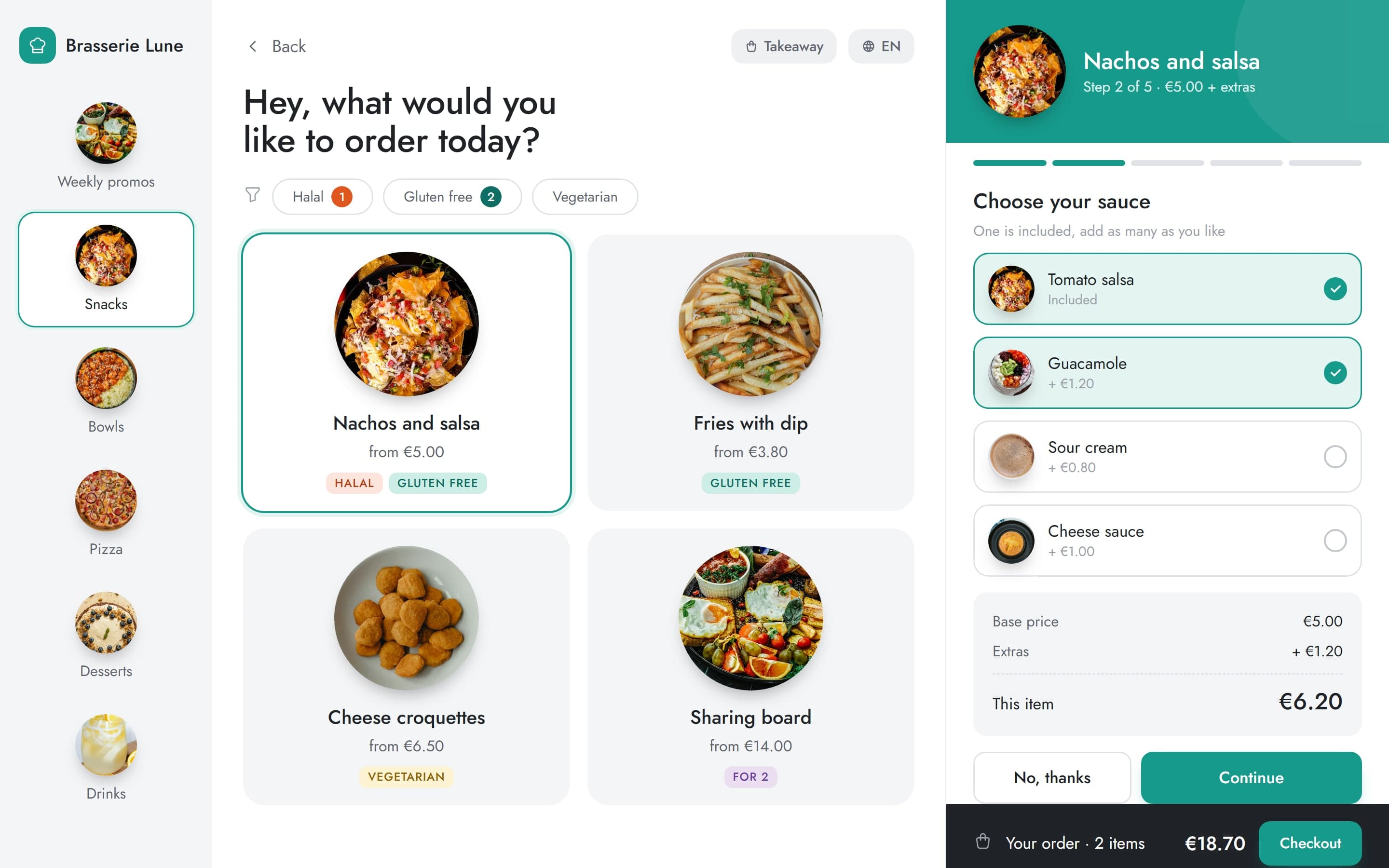
Kiosk
Guests ordering for themselves
The same menu was explored as a self-order kiosk for takeaway. Categories run down the side, dietary tags filter the dishes, and a dish is personalised one step at a time, with the base price and extras shown as they change.
Outcome
Manager tools, the back office and the kiosk were brought into the same design language, so the parts of the system used less often are no harder to read than the ones used every minute.
- Seating and floor planning
- POS orders and modifiers
- Courses
- Payments and receipts
- Manager tools
- Kiosk and tablet workflows
More case studies
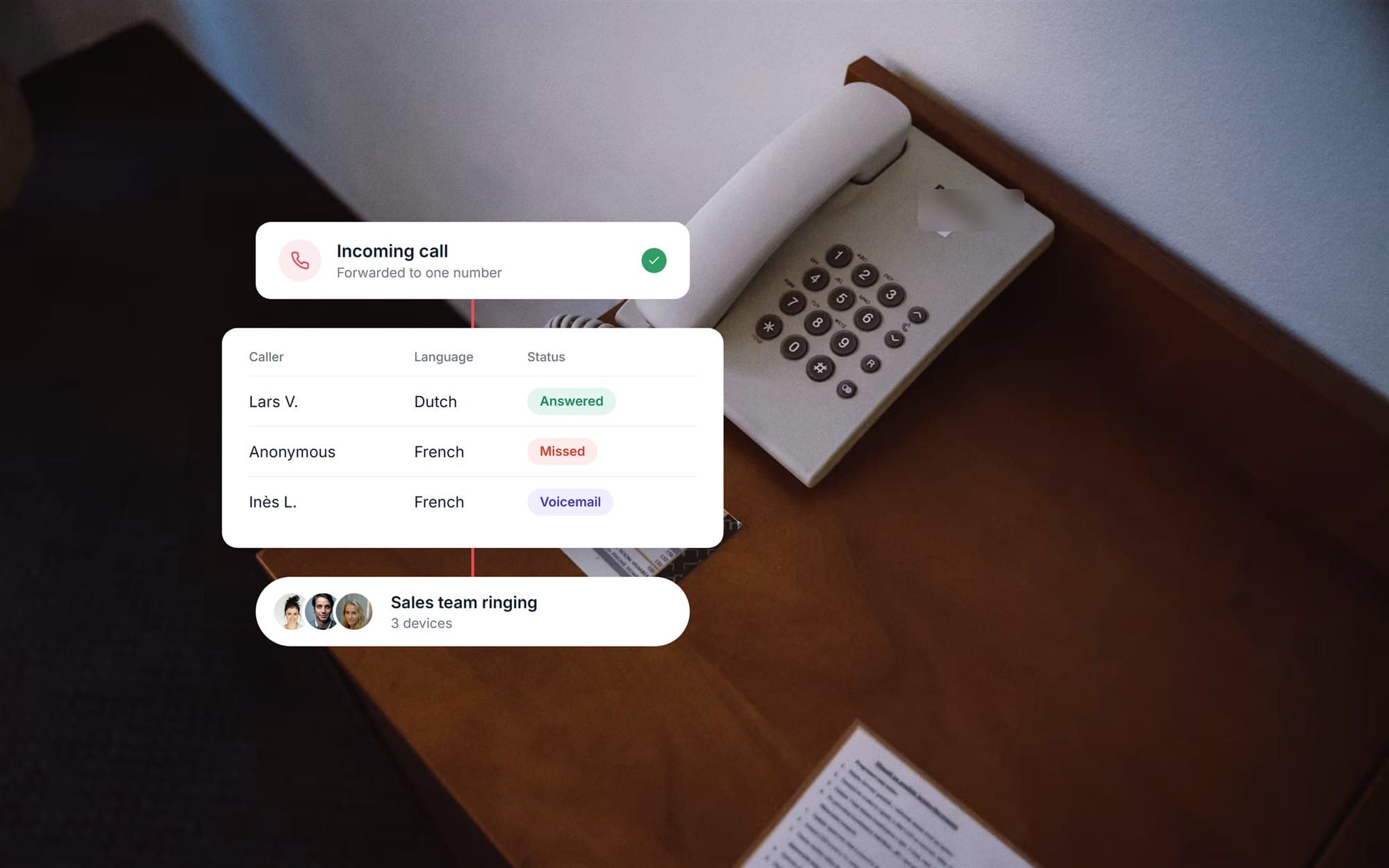 Telephony operations dashboardA real estate office's phone system rebuilt around one number, with every call reported to an agent dashboard of statuses, recordings and callbacks.View case study
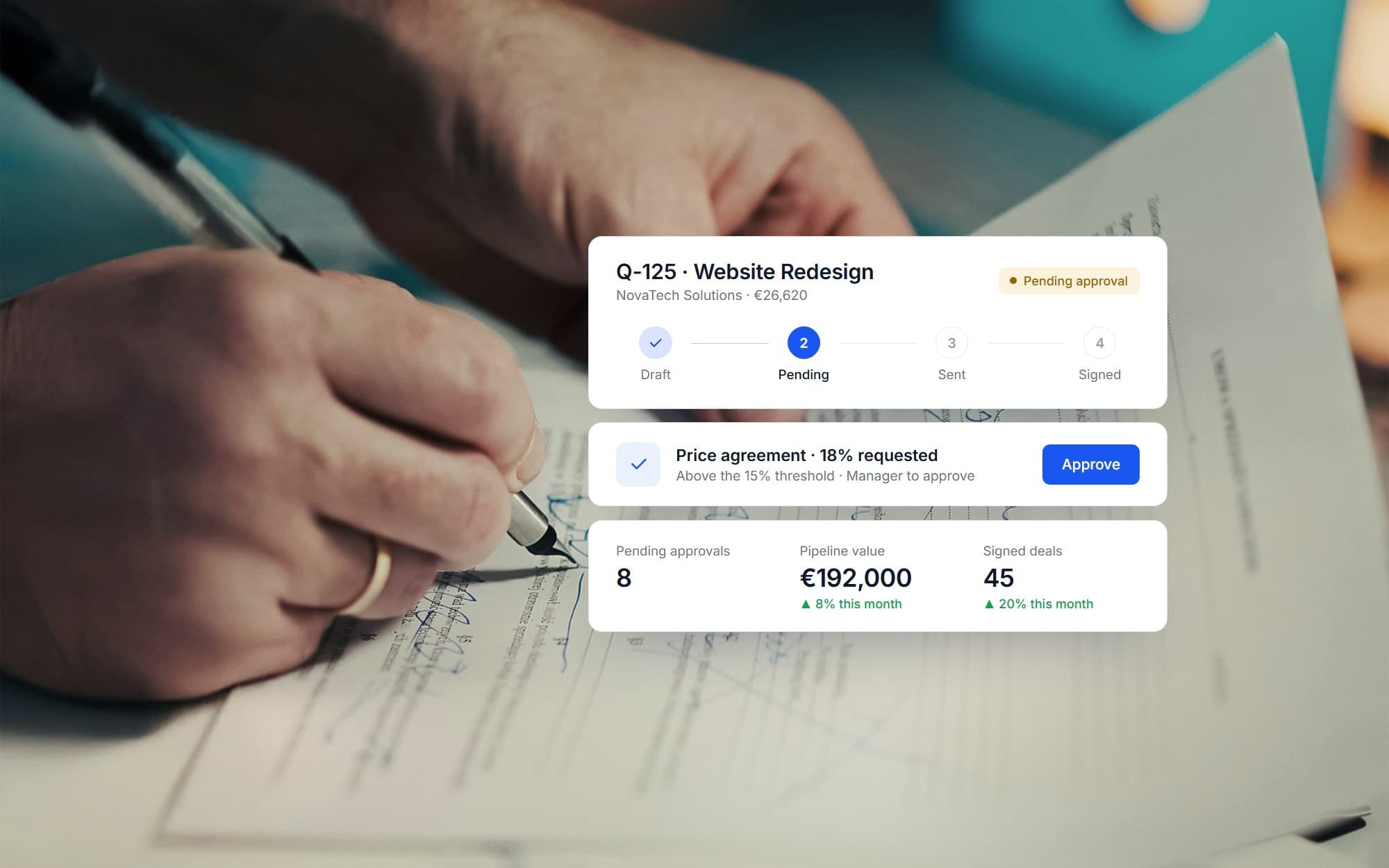 Quotation & sales platformA sales operations system bringing quotes, price agreements, customers and tasks into one workflow, with discounts routed to the right approver by role.View case study
Want a product like this? Let’s talk
Tell us about the workflow that needs to run on software. We’ll come back with how we would approach it.
Discuss a project