Digital products
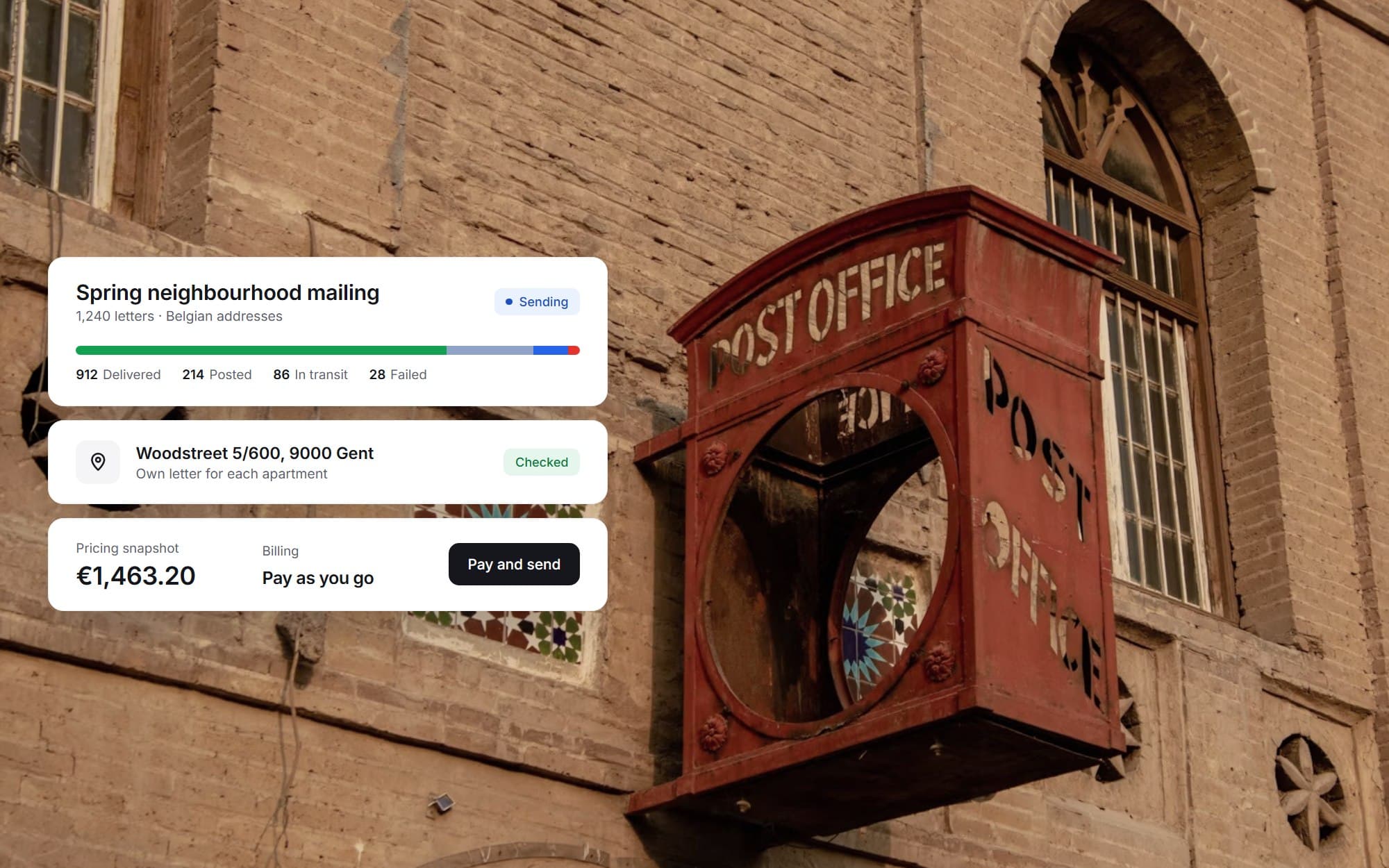
From a street name to a printed, posted and tracked letter, in one campaign.
Short
summary
- Industry
- Direct mail
- Model
- Multi-tenant SaaS
- Platforms
- Responsive web app
- Users
- Customer companies and platform admins
Sending a thousand letters to the right doors is harder: addresses come from several sources, and every recipient has to be printed, paid for and followed. This platform keeps that whole chain inside one campaign.
The challenge
A letter platform has to fix the price before it charges and keep following each letter after it leaves the printer.
The hard part is the address. A Belgian address is a street, a number and often a box, so an apartment block is many recipients rather than one.
The solution
A campaign gets its recipients from a street search or an import. Addresses are validated, deduplicated and sorted before they are added, and box numbers stay separate. A template fills each letter, the price is fixed in a snapshot, and once payment or an invoice is in place the letters are created.
01Find addresses on a map
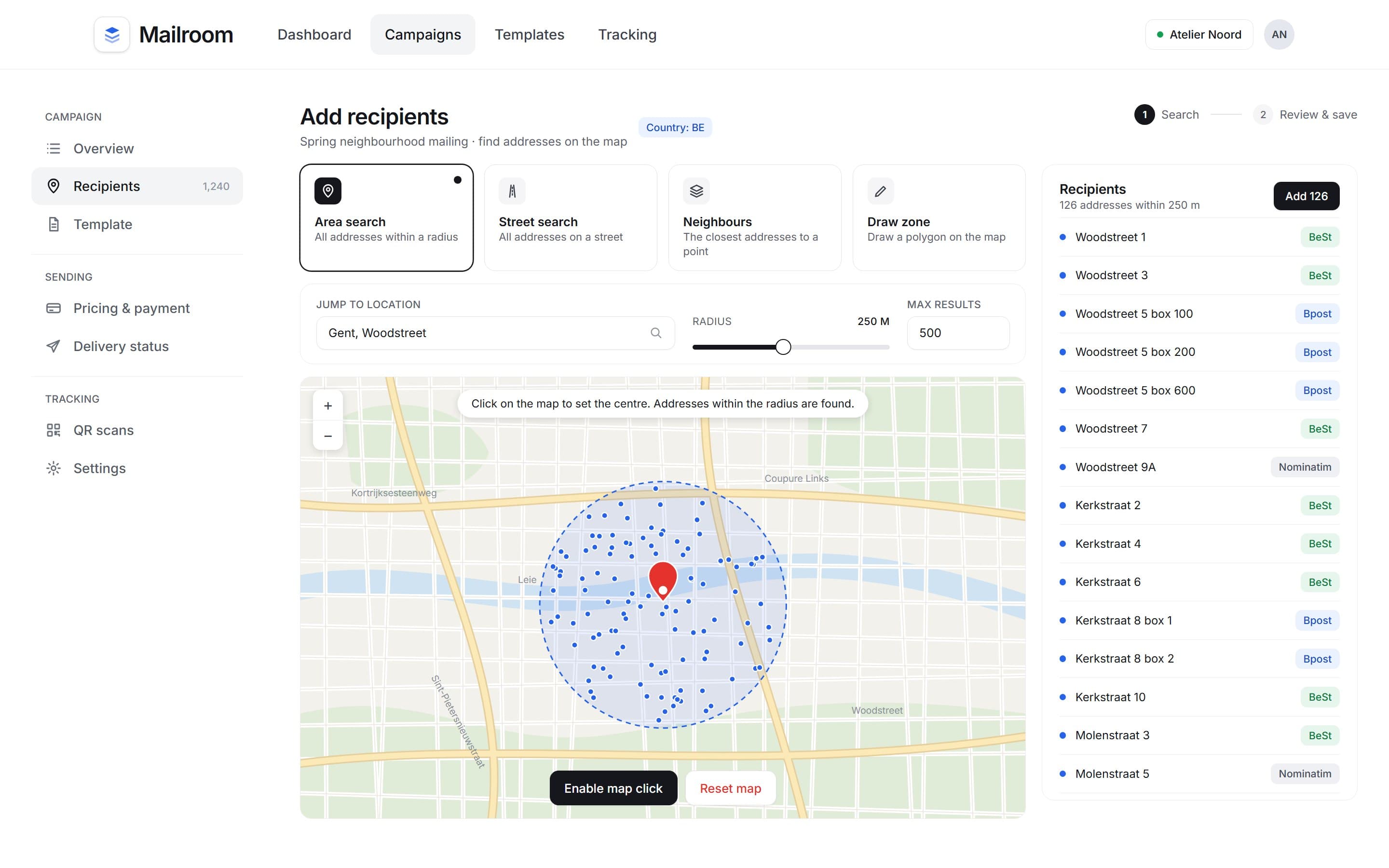
Click a point, set a radius and see every address inside it.
Search modes
4 modes
area, street, neighbours and a drawn zone
Whichever mode finds them, results are validated and added to the campaign in one step.
02Clean, separate addresses
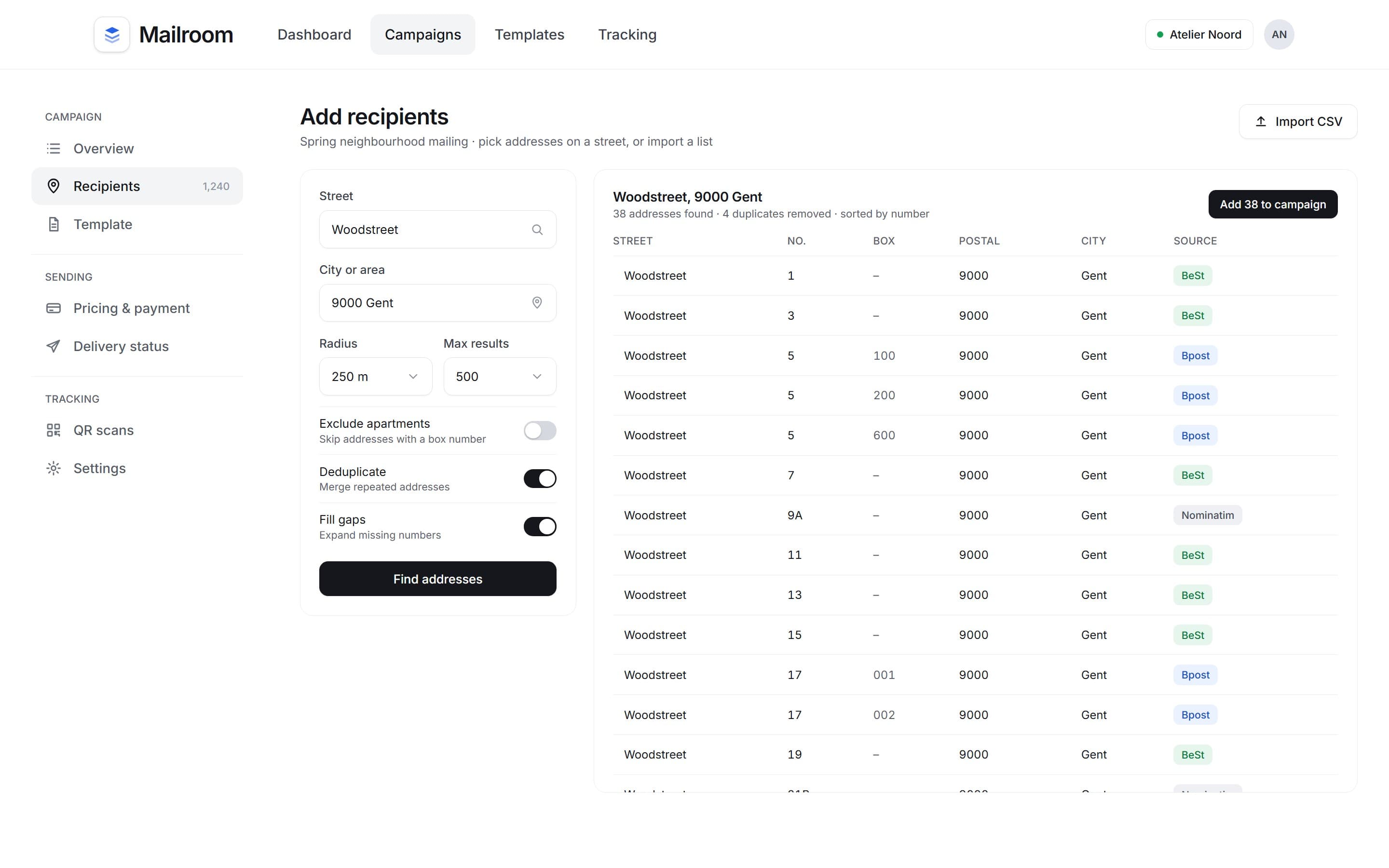
Every address on a street, sorted by number, with apartments kept as their own recipients.
Address sources
3 sources
a national dataset, a fallback and address proofing
Each row shows which of the three sources it came from.
03Letter templates
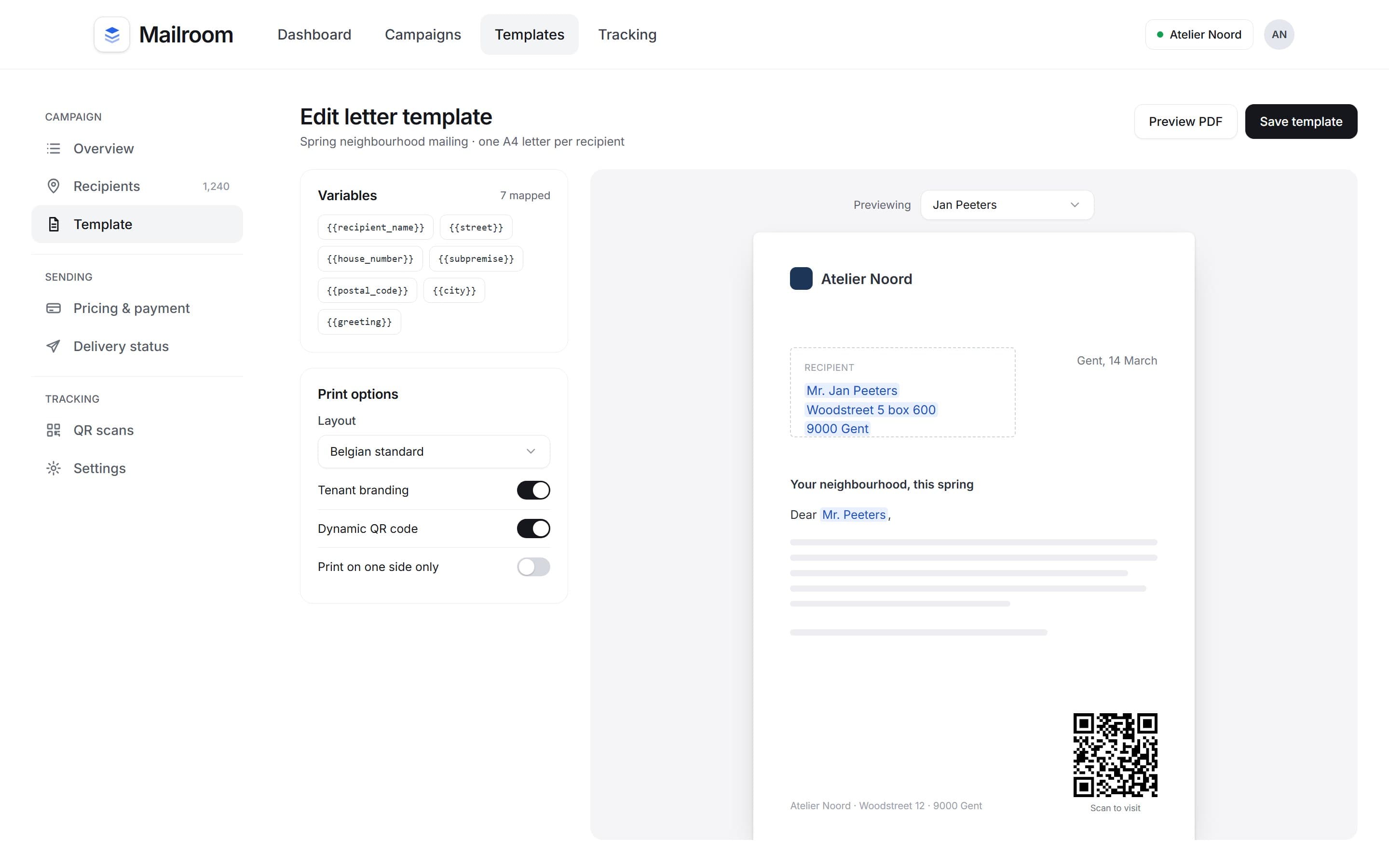
Write the letter once, map the variables, and preview it for a real recipient before anything is printed.
Letter variables
7 fields
name, street, number, box, postal code, city and greeting
The template maps each field to the letter, so one design produces a personal A4 for every recipient, with tenant branding and a dynamic QR code when it is switched on.
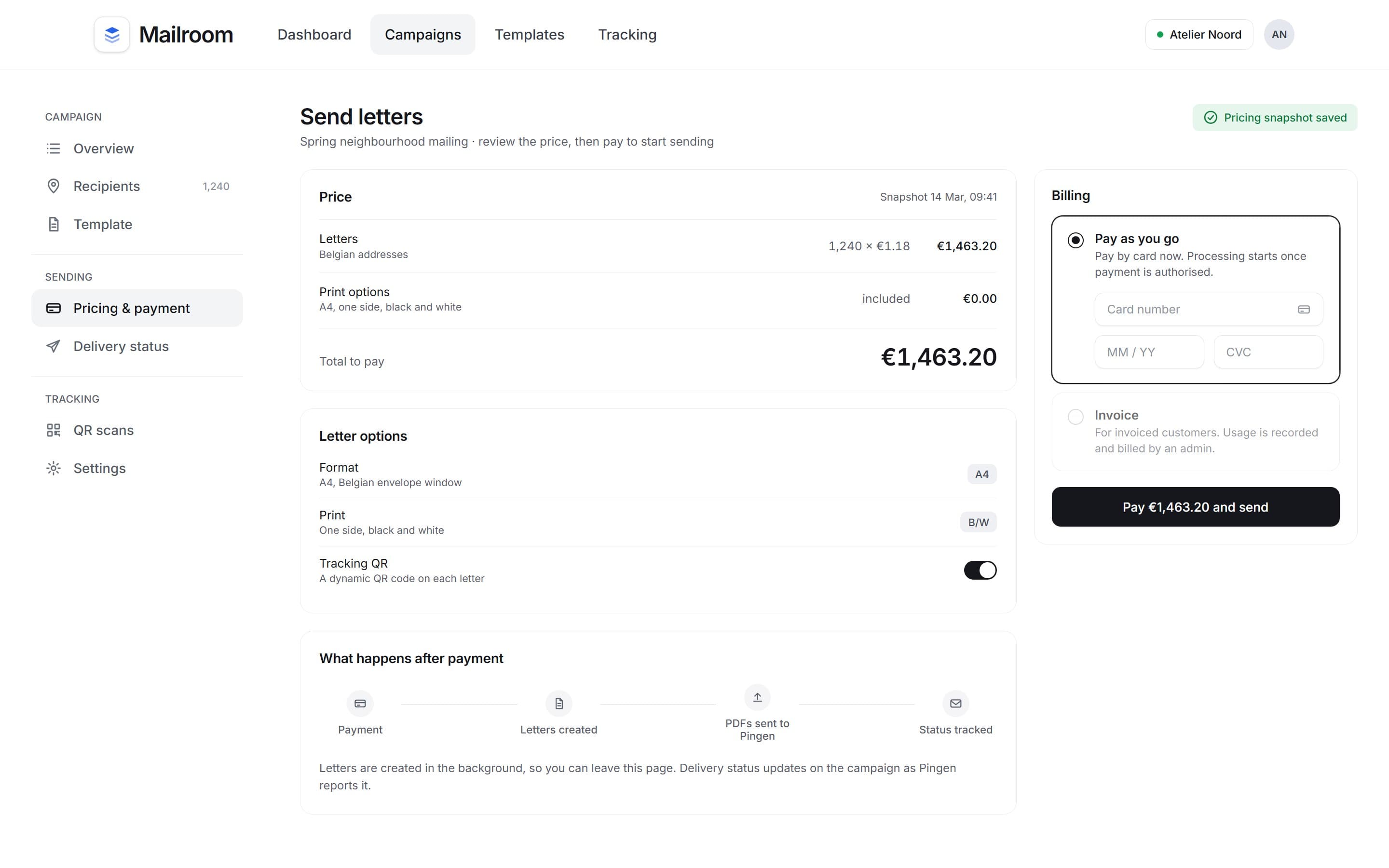
04Pricing and billing
See exactly what the campaign costs, then pay by card or have it invoiced, without the price changing underneath.
Billing models
2 models
pay as you go, or invoiced
A pay-as-you-go tenant pays first, and an invoiced tenant has usage recorded for the administration.
05QR tracking
Follow a single letter from its QR code back to its campaign.
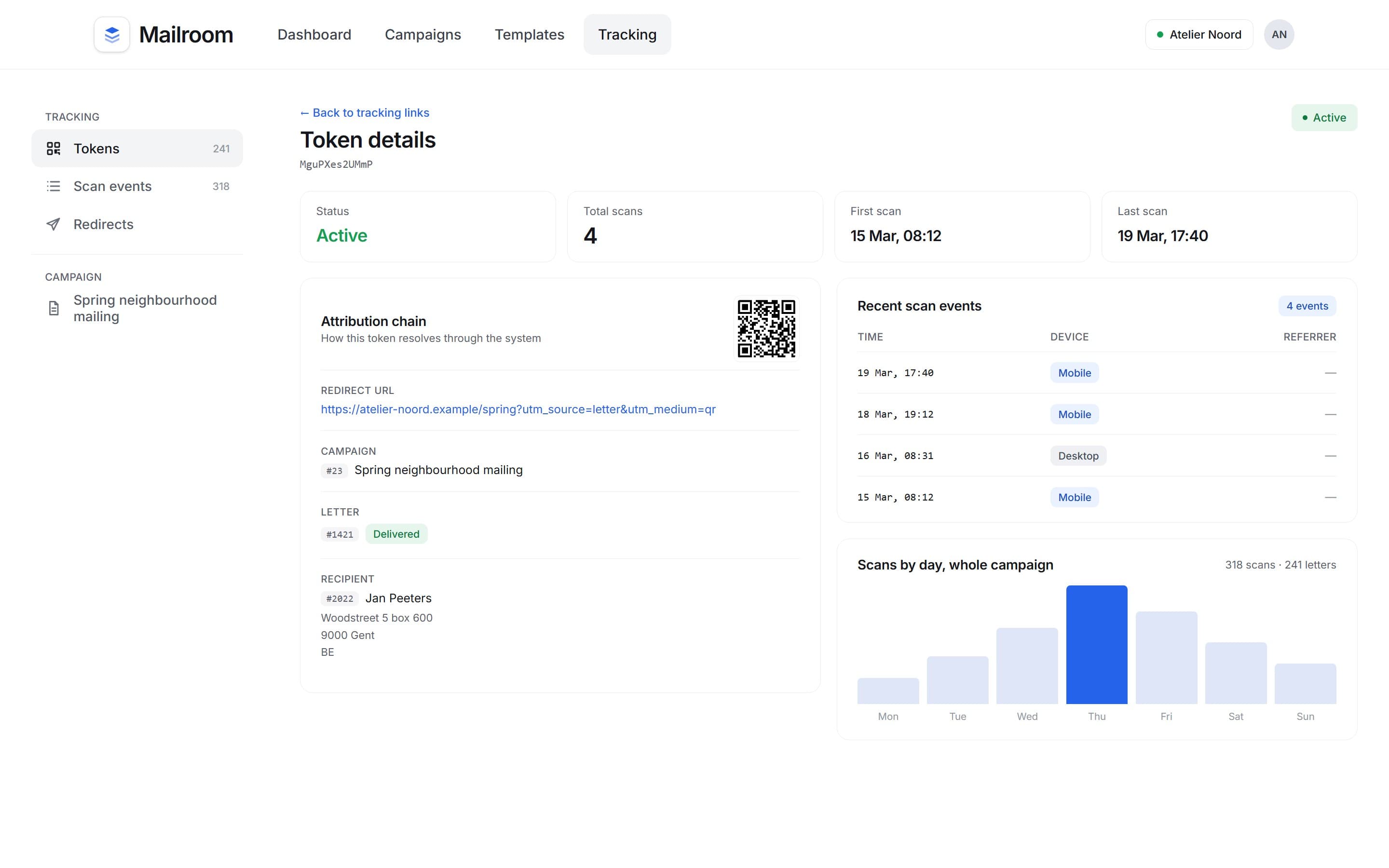
Tracked letters
1 token
per letter, tied to its campaign and recipient
Each letter carries its own QR token. Scans are counted against the letter, the recipient and the campaign, with the time and device of every scan.
06Tenant administration
Tenants, payment modes and usage, managed from one place.
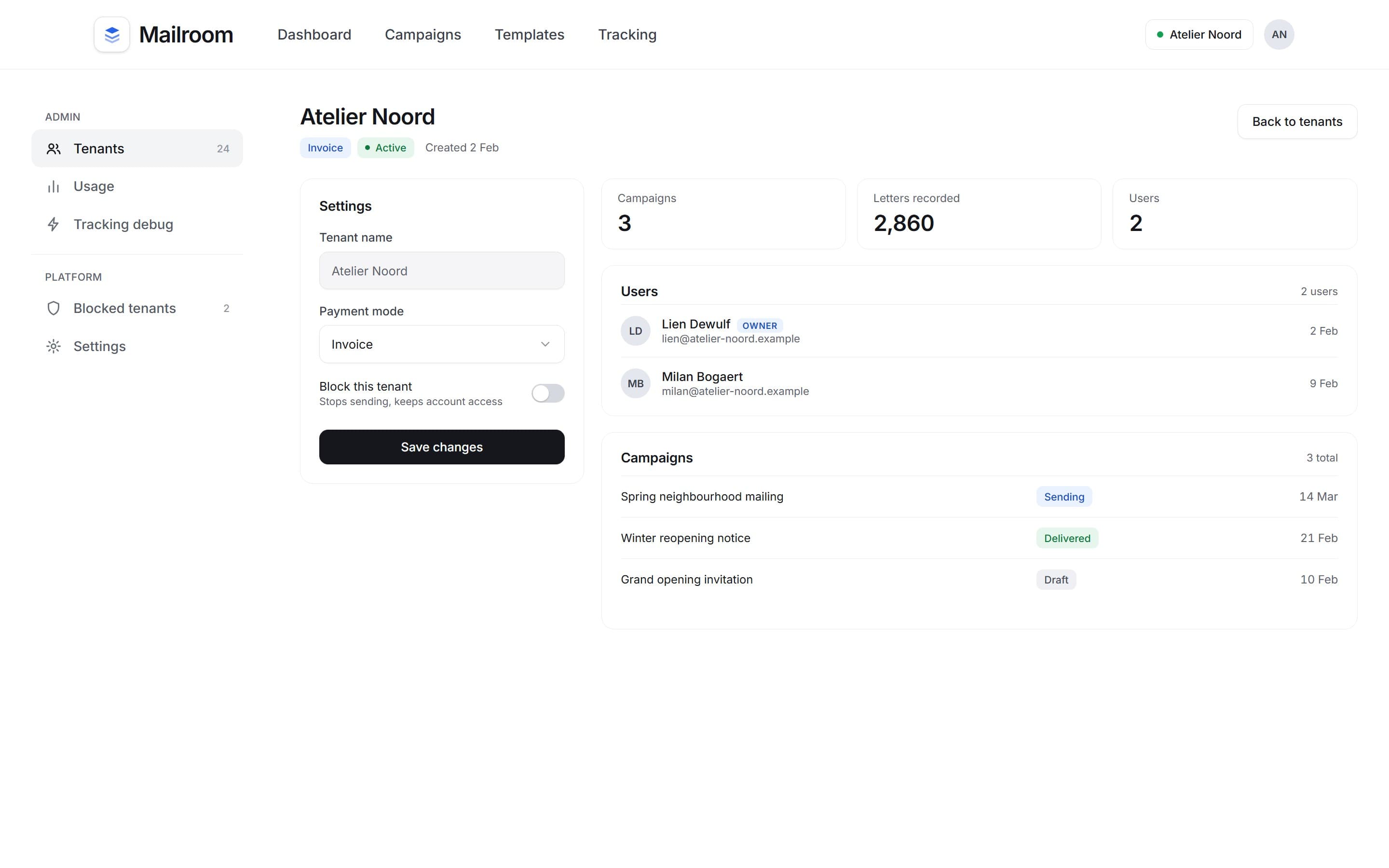
Tenant control
1 switch
blocks sending but not sign-in
Each tenant owns its users, campaigns, templates and billing, and an admin sets its payment mode.
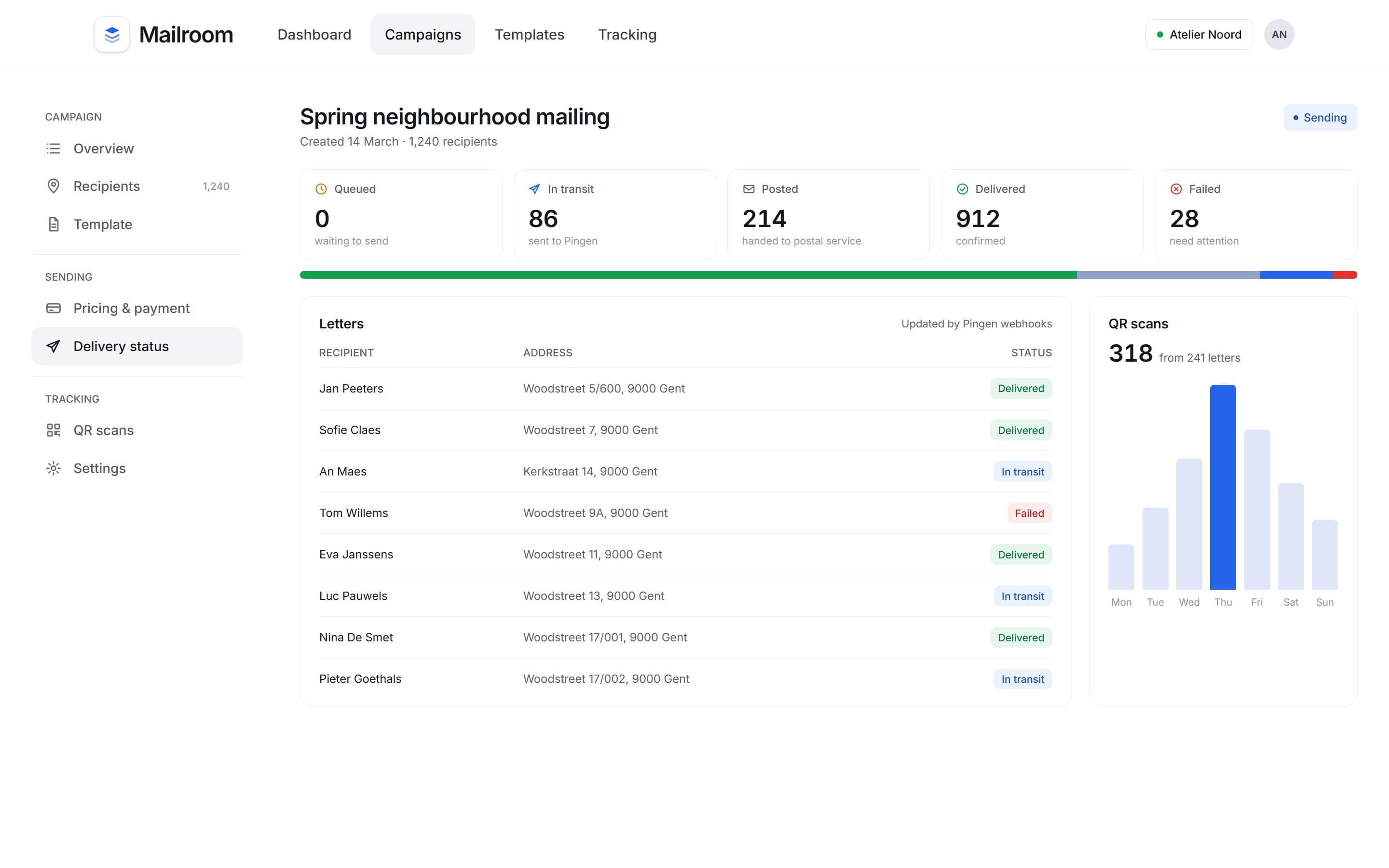
Tracking
Every letter has a status
After payment the letters are created in the background and sent to the print service. Its updates come back as delivery states on each letter and on the campaign, alongside how many QR codes on the letters were scanned.
Outcome
It is an early-stage foundation, with production refinement and customer-driven features still ahead.
- Address selection
- Recipient imports
- Letter templates
- A4 PDFs with QR codes
- Pricing snapshots
- Stripe or invoice billing
- Delivery tracking
- Tenant administration
More case studies
 Recruitment matching platformA two-sided recruitment product where job seekers and companies match through a swipe, designed as one visual direction across roles and onboarding.View case study
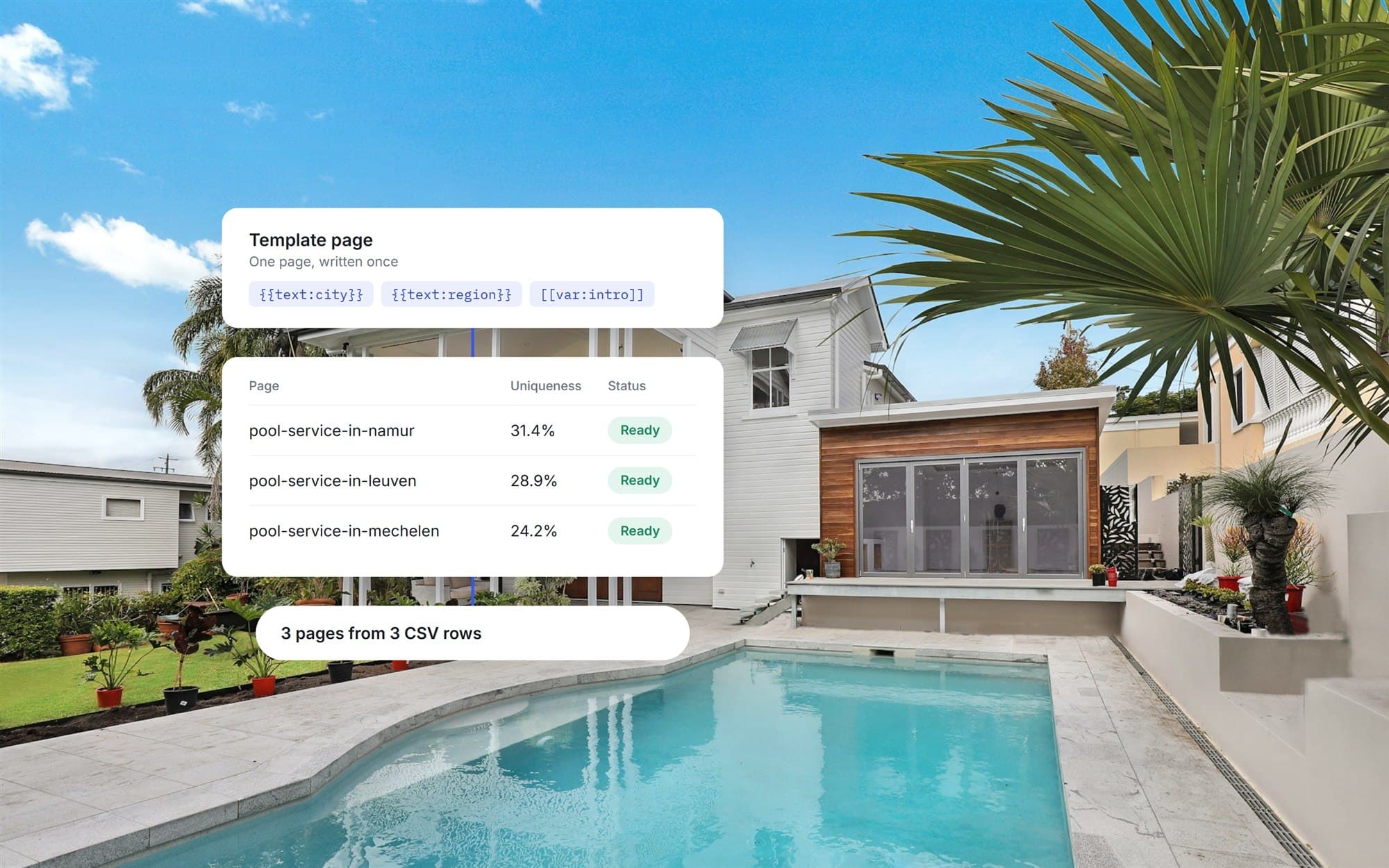 Location publishing automationA custom WordPress plugin that generates location pages from one template and a CSV, with SEO fields and publishing controls, added without a rebuild.View case study
Want a product like this? Let’s talk
Tell us about the workflow that needs to run on software. We’ll come back with how we would approach it.
Discuss a project